What Are AI Agents? Definition, Types & How They Work (2026)


Don’t miss what’s next in AI.
Subscribe for product updates, experiments, & success stories from the Nurix team.
What Are AI Agents?
AI agents are autonomous software systems that can perceive data, make decisions, and take actions to achieve specific goals without constant human input. Unlike traditional automation, they combine reasoning, memory, and tool integration to handle multi-step tasks across systems and workflows. In enterprise environments, AI agents are used to automate operations, execute processes, and continuously improve outcomes based on real-time feedback.
Operations teams handling document-heavy workflows are under constant pressure to move faster without increasing headcount. Manual reviews, fragmented tools, and repetitive internal requests slow down execution, create bottlenecks, and leave little room for higher-value work. At the same time, early adoption of generative AI is projected to increase global productivity growth by an additional 0.6%, highlighting the cost of delaying automation decisions.
This is where the concept of AI agents becomes critical. Instead of just responding to inputs, AI agents are designed to perceive context, make decisions, and execute tasks across systems with minimal human intervention. For operations leaders, this raises a practical question: can AI agents meaningfully automate internal workflows without breaking control, accuracy, or governance?
In this article, we break down what AI agents are, how they work, the different types, and how enterprises are using them to automate real workflows.
Executive Summary
AI agents are evolving from simple response systems into execution layers that handle multi-step workflows across enterprise operations. They combine context awareness, decision-making, and system integrations to complete tasks end-to-end. Organizations are adopting AI agents to reduce manual effort, improve response times, and automate processes across support, sales, and internal workflows without losing control or accuracy.
Key Takeaways
- AI agents deliver value when they handle tasks end to end, from intake to completion. This reduces manual effort and removes repeated follow-ups across operations.
- Their strength comes from continuously evaluating context and choosing the next action. When connected to real systems, this allows faster and more accurate workflow decisions.
- AI agents are designed for processes that involve several steps, such as retrieving data, validating inputs, and triggering actions, which makes them more useful than simple chat-based tools.
- Their effectiveness depends on how well they connect with systems like CRMs, ticketing tools, and internal platforms. Strong integrations allow agents to move work forward instead of stopping at responses.
- NUplay by Nurix AI focuses on enabling this execution layer through orchestration and system connectivity, helping teams automate workflows that would otherwise require multiple manual steps.
How do AI agents work?
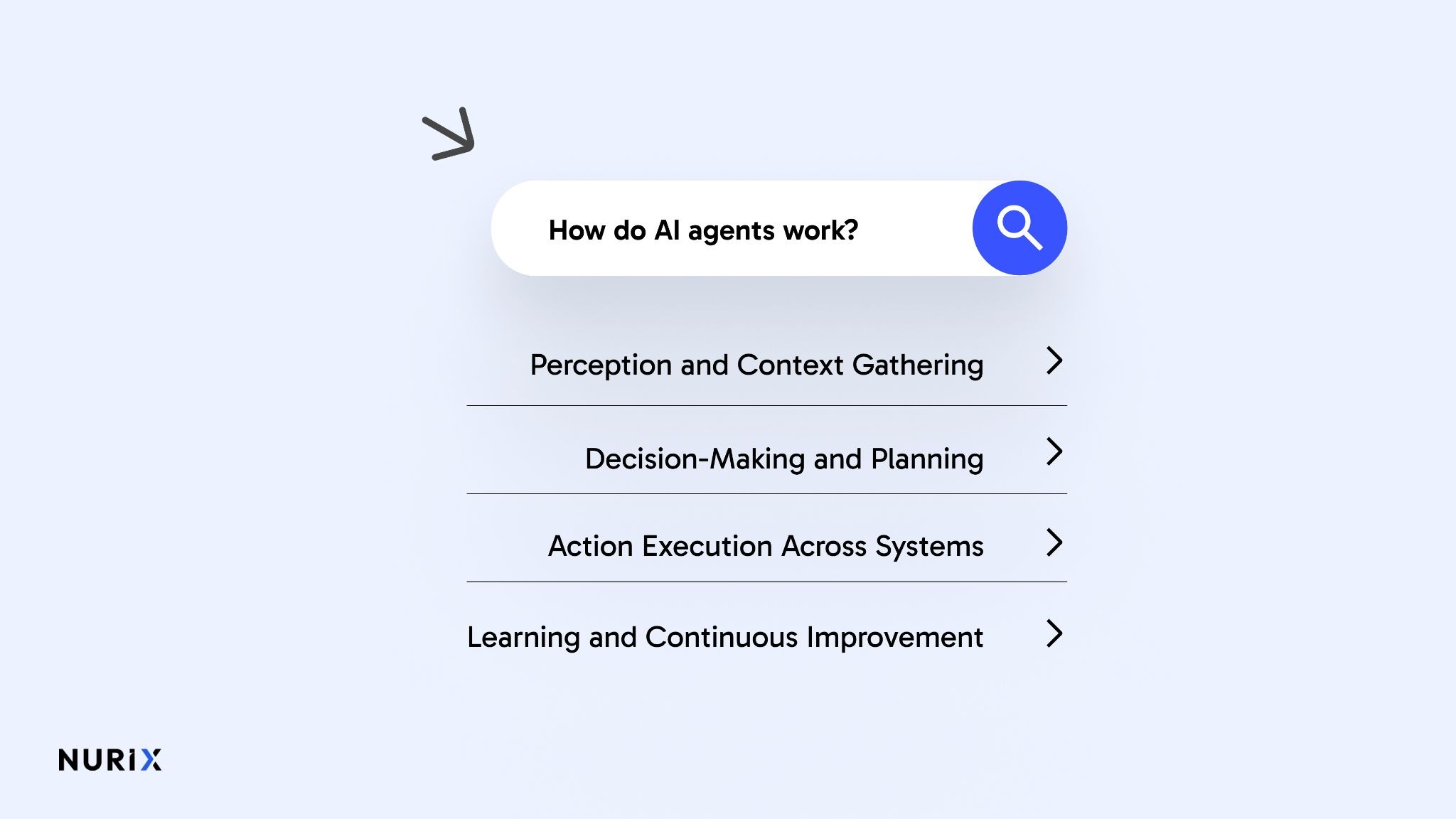
AI agents work by continuously interpreting context, selecting the best course of action, and executing tasks across connected systems rather than responding to a single input. They rely on structured decision loops and tool integrations to complete multi-step workflows with minimal human intervention.
Here is how AI agents operate in practice:
1. Perception and Context Gathering
AI agents collect and interpret data from multiple sources, such as user inputs, documents, and enterprise systems like CRM or ERP. This step is not just data intake; it involves understanding context, intent, and relevance in real time. Strong perception ensures the agent is acting on accurate, up-to-date information rather than isolated inputs.
2. Decision-Making and Planning
Once context is established, the agent evaluates possible actions based on goals, constraints, and available data. It uses reasoning capabilities to prioritize tasks, select tools, and plan execution steps instead of following fixed rules. This is where AI agents move beyond automation and begin to function as decision-support systems.
3. Action Execution Across Systems
After deciding, the agent performs actions by calling APIs, triggering workflows, or updating systems without manual intervention. This can include tasks like processing a request, retrieving information, or completing a transaction. The ability to execute across systems is what enables true workflow automation.
4. Learning and Continuous Improvement
AI agents track outcomes and feedback from each action to refine future decisions. Over time, they improve accuracy, efficiency, and response quality by adapting to patterns and new data. This creates a feedback loop where the system becomes more effective with ongoing use.
Also read: Generative AI for Sales: Use Cases, Tools, and ROI [2026]
Once you understand how they function, the next step is looking at what they can actually take on in real workflows.
What are the Main Types of AI Agents?
AI agents aren’t all built the same; some react, others plan ahead, and a few can actually learn on their own. Beyond the usual categories, newer agent types are being trained in simulated environments to improve decision-making under uncertainty. Here's a quick breakdown:
- Simple Reflex Agents: These agents operate based on predefined rules (e.g., "if temperature exceeds 30°C, turn on the cooling system"). They’re ideal for static environments, like IoT devices or basic chatbots.
- Model-Based Agents: These agents build an internal model of their environment, allowing them to handle situations with partial visibility. For example, autonomous vehicles use LiDAR data combined with maps to navigate.
- Goal-Oriented Agents: These agents focus on achieving specific goals (e.g., increasing sales conversions). They evaluate actions based on the desired end result, often used in marketing automation or predictive maintenance.
- Learning Agents: Learning agents use reinforcement learning to improve over time. Streaming services like Netflix rely on these agents to refine recommendations based on user preferences.
- Generative Agents: Powered by generative AI, these agents can create original content or solve complex problems.
Capabilities sound good in theory, but it becomes much clearer when you see how they are used in real-world situations.
What Are AI Agents Capable of Doing?
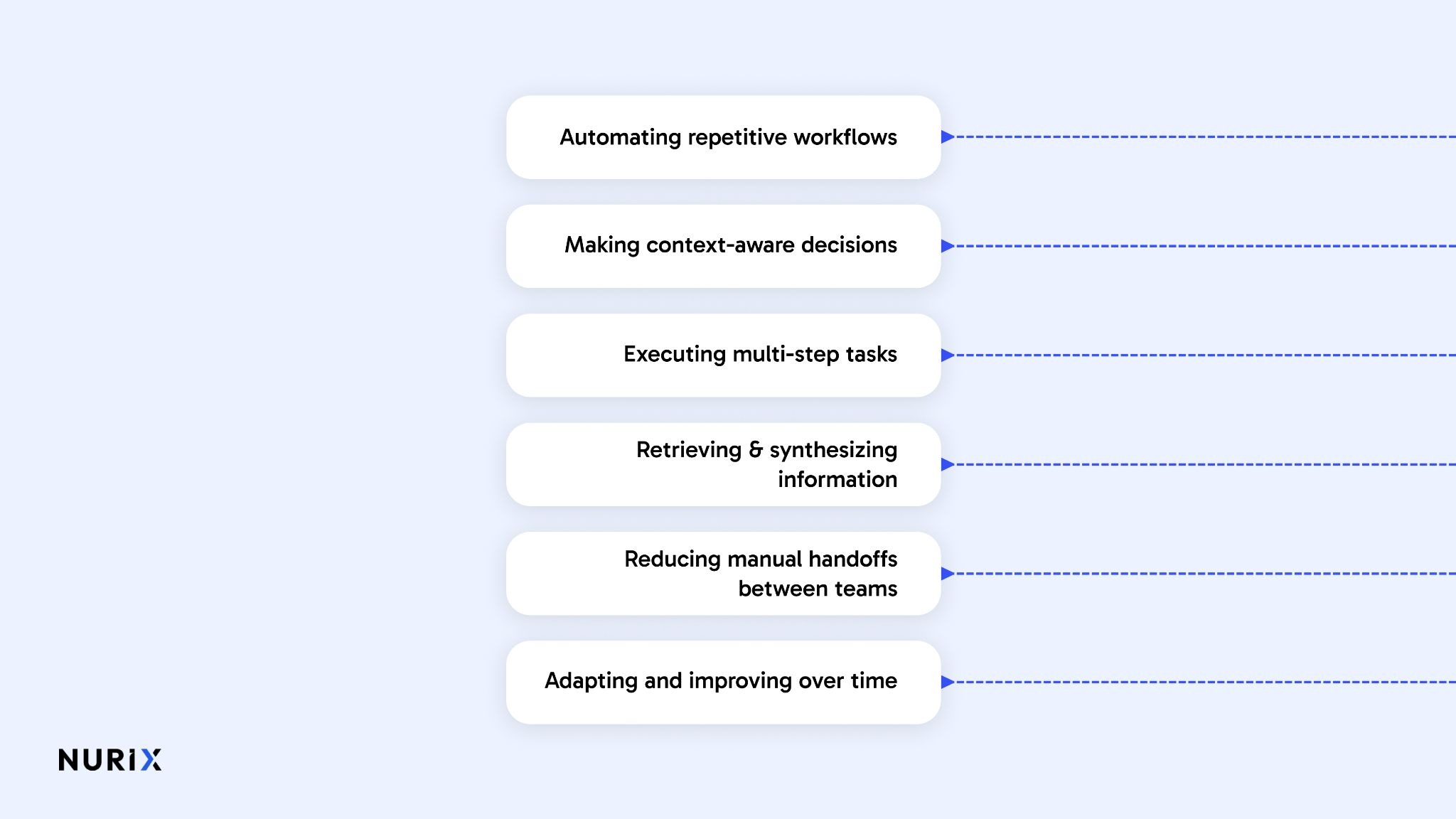
AI agents go beyond basic automation by handling tasks that require context, decision-making, and execution across systems. Instead of stopping at responses, they can complete entire workflows, which makes them especially useful for operations teams managing high-volume, repetitive processes.
Here are the key capabilities of AI agents in enterprise environments:
- Automating repetitive workflows: AI agents can handle tasks like document review, data entry, and internal requests without manual effort. For example, an agent can process incoming documents, extract required fields, and route them to the right workflow automatically.
- Making context-aware decisions: They evaluate real-time inputs, historical data, and defined goals to choose the next best action. For instance, an agent can prioritize urgent requests based on context instead of following a fixed rule set.
- Executing multi-step tasks across systems: AI agents don’t stop at recommendations; they take action across tools. For example, after extracting data, an agent can update CRM records, trigger approvals, and notify stakeholders in one flow.
- Retrieving and synthesizing information: They can gather data from multiple systems and present it in a usable format. For example, an agent can pull information from documents, databases, and emails to generate a structured summary for decision-making.
- Reducing manual handoffs between teams: AI agents can carry tasks from start to finish without passing work between teams. For example, a request can be received, processed, validated, and completed without multiple touchpoints.
- Adapting and improving over time: They learn from past actions and feedback to refine outputs and decisions. For instance, an agent can improve how it classifies documents or prioritizes tasks based on previous outcomes.
Capabilities sound good in theory, but it becomes much clearer when you see how they are used in real-world situations.
Real-World AI Agent Examples Across Workflows
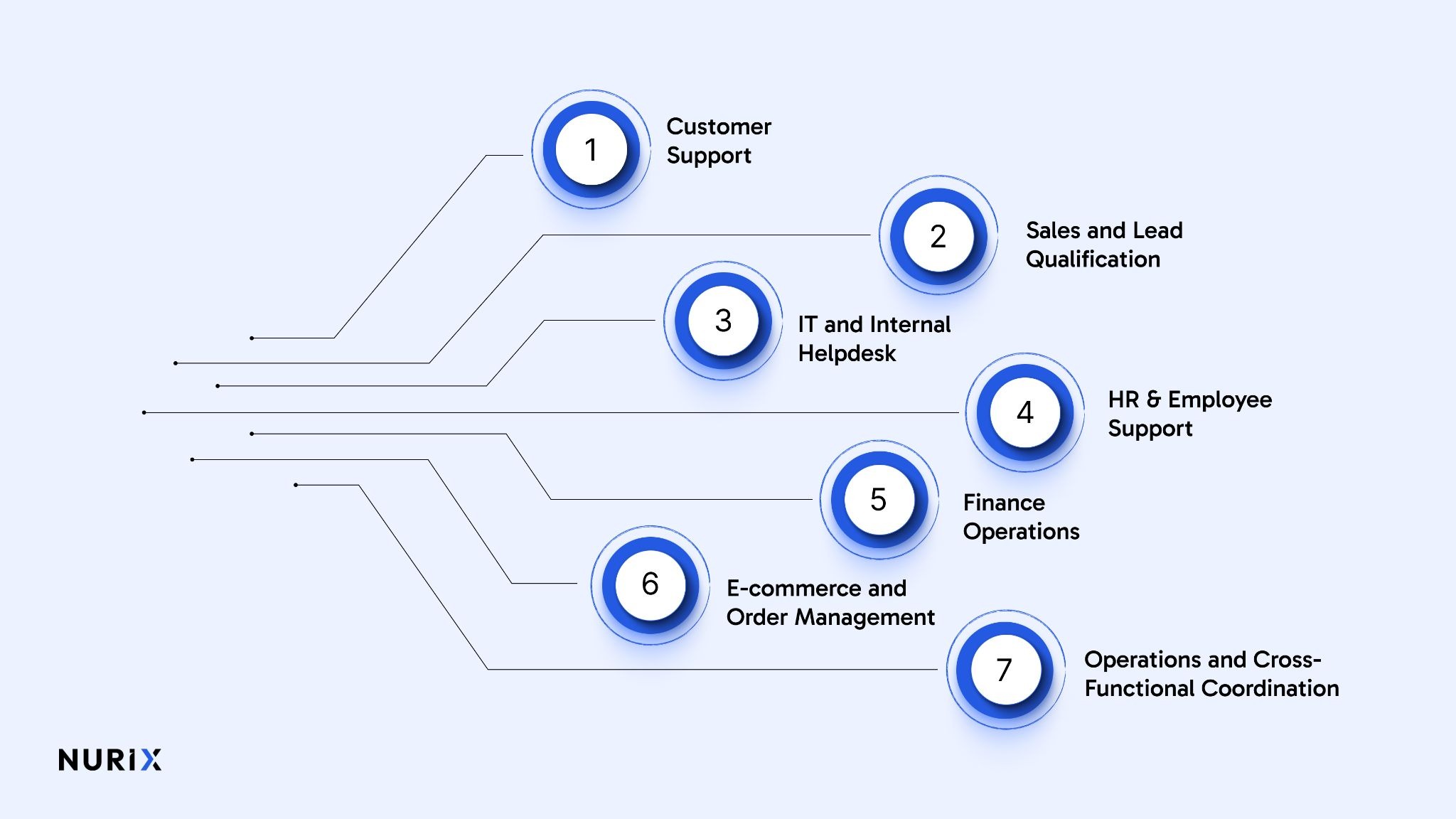
AI agents become easier to understand when you look at what they do inside day-to-day business workflows. Instead of waiting for prompts and responding one step at a time, they can interpret context, decide what needs to happen next, use connected tools, and complete parts of the workflow with limited human input.
Here are practical examples of how AI agents operate across common enterprise functions:
1. Customer Support
In support workflows, AI agents can do more than answer routine questions. They can identify the customer’s issue, retrieve account details from internal systems, check order or subscription status, apply policy rules, and recommend or initiate the next action.
For example, a support agent can:
- Verify a customer’s identity
- Pull order, billing, or ticket history from the CRM
- Detect whether the issue is a refund request, a delivery delay, or a technical problem
- Suggest the correct resolution based on company policy
- Escalate complex cases with full context already attached
This reduces manual back-and-forth and helps support teams handle higher ticket volumes without slowing response times.
2. Sales and Lead Qualification
In sales workflows, AI agents can manage the early stages of lead handling that often consume time across SDR and inside sales teams. They can qualify inbound leads, ask follow-up questions, score buying intent, route leads to the right team, and schedule meetings.
A sales AI agent might:
- Capture lead details from a website form or chat
- Ask qualifying questions based on industry, budget, or use case
- Enrich the lead record from connected systems
- Prioritise high-intent prospects
- Book meetings directly into the sales team’s calendar
This helps teams respond faster and improves lead coverage, especially when inbound volume is high.
3. IT and Internal Helpdesk
Internal operations create large volumes of repetitive requests, from password resets to software access and policy queries. AI agents can reduce this load by handling standard requests, gathering missing details, and triggering approved actions through connected systems.
Examples include:
- Resetting passwords after user verification
- Provisioning access to approved tools
- Answering policy and process questions
- Classifying incidents by urgency and type
- Routing unresolved issues to the correct IT queue
That gives IT teams more time for higher-value work while improving response consistency for employees.
4. HR and Employee Support
HR workflows often involve repeated employee questions and admin-heavy tasks. AI agents can support onboarding, leave requests, policy guidance, and internal ticket handling by combining conversation with workflow execution.
An HR AI agent can:
- Answer questions about leave policies, benefits, or travel rules
- Guide new hires through onboarding steps
- Collect missing documents
- Route requests to payroll, finance, or HR operations
- Follow up automatically on incomplete actions
This creates a smoother employee experience and reduces time spent on routine coordination.
5. Finance Operations
Finance teams deal with structured but repetitive processes that are well-suited to AI agents when guardrails are clear. In these workflows, agents can review submissions, validate data, flag exceptions, and move requests forward for approval.
Examples include:
- Checking invoices against purchase orders
- Validating expense claims against policy rules
- Identifying missing fields or duplicate submissions
- Routing approvals based on amount or department
- Flagging exceptions for manual review
This does not remove human oversight. It reduces manual effort in the early stages of review and helps finance teams focus on higher-risk decisions.
6. E-commerce and Order Management
In commerce workflows, AI agents can support customers before and after purchase. They can recommend products, answer fulfilment questions, manage return requests, and coordinate updates across systems.
A commerce AI agent may:
- Recommend products based on customer intent
- Track orders in real time
- Handle delivery or return queries
- Trigger refund or exchange workflows within policy limits
- Escalate sensitive cases to a human agent
This improves response speed while keeping service available across high-volume periods.
7. Operations and Cross-Functional Coordination
Some of the strongest AI agent use cases sit in workflows that cross teams and systems. These are areas where progress often slows because information lives in multiple tools and each step depends on the previous one being completed correctly.
In these cases, an AI agent can:
- Monitor workflow progress across systems
- Detect stalled tasks or missing approvals
- Notify the right owner
- Update records automatically
- Trigger the next step once conditions are met
This helps reduce delays caused by manual handoffs and fragmented process ownership.
See how NUplay by Nurix AI applies these workflows in production with enterprise-grade orchestration and system integrations.
What These Examples Show
Across workflows, the core pattern stays the same. AI agents do not just generate responses. They observe what is happening, interpret the goal, use available systems, and move work forward.
That is what makes them different from static automation and basic chat interfaces. The value comes from combining reasoning, action, and system connectivity inside real business processes.
Also read: AI Agents for Sales: How Voice and Chat AI Drives Revenue
These examples show where AI agents are already working. The next step is understanding how teams can actually implement this in their own operations.
Agents vs Chatbots vs Traditional Automation
As organizations explore intelligent automation, it’s important to distinguish between the tools they deploy. While traditional automation follows strict rules, chatbots enhance user interaction, and AI agents offer adaptive, goal-oriented decision-making..
To see how these systems differ in practice, let’s compare AI agents, chatbots, and traditional automation across key features and use cases.
AI Agents
- Definition: Autonomous systems capable of perceiving their environment, making decisions, planning, and executing tasks to achieve specific goals. They can learn from experience and adapt strategies over time.
- Key Features:
- Autonomy: Operates with minimal human intervention.
- Reasoning & Planning: Makes decisions across multiple steps or scenarios.
- Learning: Improves performance based on past outcomes.
- Tool Use: Can interact with external systems or APIs to execute tasks.
- Use Cases:
- Multi-step workflow automation in enterprises.
- Dynamic decision-making in customer service or IT operations.
- Complex simulations and predictive planning.
- Advantages: Handles complex, variable tasks, adapts to changing conditions, and reduces operational bottlenecks.
Chatbots
- Definition: Interactive conversational agents that simulate human dialogue, often using predefined rules or AI-driven natural language understanding
- Key Features:
- Conversational Interface: Engages users via text or voice.
- Task Execution: Limited to scripted or AI-predicted interactions.
- Integration: Works with messaging platforms or websites.
- Use Cases:
- Customer support and FAQ handling.
- Lead qualification and simple service requests.
- Appointment scheduling or order tracking.
- Advantages: Improves user experience, reduces human support load, and fast deployment for specific tasks.
Traditional Automation
- Definition: Rule-based systems that execute repetitive, predefined tasks without adaptation or learning.
- Key Features:
- Deterministic Actions: Performs exactly what is scripted.
- No Learning: Cannot adapt to changes or unexpected inputs.
- System Integration: Limited to pre-configured processes.
- Use Cases:
- Data entry, report generation, and routine process automation.
- Batch processing in IT or finance operations.
- Triggered workflows with predictable outcomes.
- Advantages: Reliable for repetitive tasks, easy to audit, and minimal complexity for structured operations.
Summary Comparison
Takeaway: AI agents provide the most autonomy and adaptability, chatbots specialise in interactive communication, and traditional automation excels at predictable, repetitive tasks. Organisations often combine these tools to cover both efficiency and user engagement goals.
Also read: Voice AI vs IVR: Which System Fits Your Enterprise in 2026?
When Should You Adopt AI Agents?
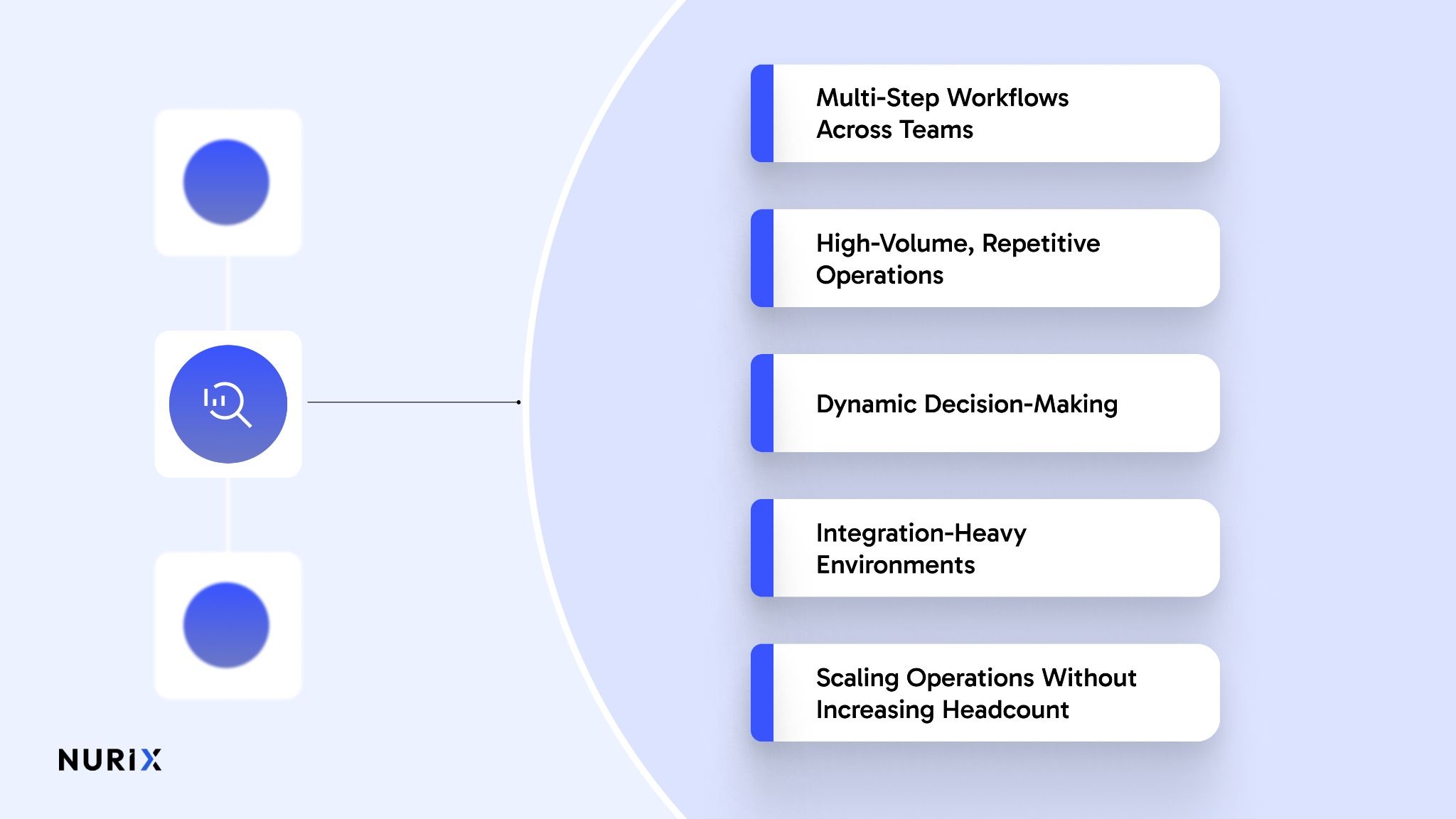
Adopting AI agents is most valuable when workflows are complex, repetitive, and span multiple systems, or when human teams struggle to maintain consistency and speed. They are not a replacement for humans, but a force multiplier that handles routine decisions, frees capacity, and improves response times.
Here are scenarios where AI agents deliver the most impact:
1. Multi-Step Workflows Across Teams
When tasks require coordination across departments, AI agents can track progress, ensure handoffs occur on time, and trigger the next step automatically. This reduces delays caused by manual follow-ups.
2. High-Volume, Repetitive Operations
Processes such as customer support tickets, invoice verification, or HR request handling often overwhelm teams. AI agents can manage these tasks consistently, freeing human staff for exceptions and higher-value work.
3. Dynamic Decision-Making
If workflows involve multiple possible paths depending on input data or changing conditions, AI agents can evaluate options, select appropriate actions, and adjust decisions in real time. Examples include lead scoring in sales or IT incident triage.
4. Integration-Heavy Environments
When information lives across CRMs, ERPs, cloud tools, and internal databases, AI agents can connect systems, retrieve and reconcile data, and act on it without manual switching between tools.
5. Scaling Operations Without Increasing Headcount
For growing teams or enterprises facing rising demand, AI agents allow processes to scale efficiently, maintaining speed, accuracy, and quality without hiring additional staff.
Key Consideration: Adopting AI agents works best when objectives are clear, guardrails exist for automated decisions, and human oversight is available for exceptions. Starting small with pilot workflows can help demonstrate ROI and build confidence before scaling enterprise-wide.
How NuPlay Enables AI Agents to Work in Real Enterprise Workflows?
Understanding what AI agents can do is useful, but the real challenge is getting them to work reliably across everyday operations. Most systems fall short when workflows involve multiple steps, tools, and decisions. NUplay by Nurix AI focuses on making that execution practical by helping agents operate across systems and complete tasks from start to finish.
- Drives end-to-end workflow completion: Instead of stopping at responses, NUplay by Nurix AI-powered agents carry tasks through validation, decision-making, and execution. This reduces manual handoffs and ensures workflows move from intake to completion without delays.
- Improves operational efficiency and cost control: By automating high-volume, repetitive interactions across support and internal operations, organisations can reduce cost per interaction and handle more volume without increasing headcount.
- Increases accuracy through multi-agent orchestration: NUplay by Nurix AI uses specialised agents coordinated through orchestration, allowing each agent to handle a focused task. This improves accuracy in complex workflows and reduces errors compared to single-agent systems.
- Connects deeply with enterprise systems: Agents integrate with CRMs, ERPs, and internal tools to retrieve data, update records, and trigger actions in real time. This allows workflows to move forward without switching systems or relying on manual inputs.
- Provides real-time visibility and continuous improvement: With built-in observability through NuPulse, teams can monitor response times, resolution rates, and workflow outcomes. This enables faster optimisation and better control over automation performance.
- Maintains governance, security, and control at scale: NUplay by Nurix AI includes role-based access, audit trails, and data protection controls to ensure workflows remain compliant while handling sensitive enterprise data.
This is what makes AI agents actually useful in practice, not just assisting with tasks, but completing work across systems in a way that fits real operations.
Conclusion
AI agents matter because they change how work actually gets done, not just how information is handled. For teams managing high volumes of requests and multi-step processes, the difference comes down to execution. When tasks move across systems without constant follow-ups, operations become faster, cleaner, and easier to manage.
NUplay by Nurix AI fits into this shift by focusing on how work flows through systems. As an enterprise-grade voice and chat AI platform, it helps agents handle tasks from start to finish by connecting tools, coordinating steps, and keeping visibility intact.
Start by mapping one workflow your team handles daily and note where it slows down or requires repeated handoffs. That is usually where an AI agent can take over and make a measurable difference. AI agents help teams move work forward by handling decisions and actions across systems, making them useful for reducing delays and manual effort in real workflows.
Schedule a Custom Demo to see how NUplay by Nurix AI automates your workflows and turns AI agents into execution layers across your operations.real word
AI agents are systems that can understand context, make decisions, and take actions to complete tasks without constant human input. Unlike basic automation, they do not rely only on predefined rules. They evaluate situations and execute next steps across systems, which makes them useful for handling real workflows instead of isolated tasks.
AI agents differ from chatbots by focusing on execution rather than just conversation. Chatbots handle queries or guide users, while AI agents can complete tasks like updating systems or triggering workflows. This makes them more suitable for enterprise environments where actions such as order updates, ticket handling, or process execution are required.
Generative AI agents in industry are being used across support, finance, HR, and operations workflows. They help summarize documents, process requests, qualify leads, and coordinate multi-step tasks. The key difference is that they combine content generation with execution, which allows them to move work forward instead of just producing outputs.
AI agents handle real-time decision-making by continuously analyzing inputs, context, and system data before selecting the next action. Optimizing generative AI agents for real-time decision-making involves connecting them to live data sources and defining clear rules and boundaries, so they can act quickly without losing accuracy or control.
Yes, AI agents can manage customer interactions such as order tracking, delivery updates, and return requests when integrated with backend systems. For example, AI phone agents can verify user details, retrieve order status, and trigger actions like refunds or exchanges. This reduces response time and improves consistency across high-volume support workflows.
Don’t miss what’s next in AI.
Subscribe for product updates, experiments, & success stories from the Nurix team.