Support inboxes continue to grow, but most support teams are still expected to improve response times without significantly expanding headcount. That pressure often leads to delayed replies, inconsistent communication, and frustrated customers, especially when agents manage high volumes of repetitive requests across billing, technical support, account updates, and escalations.
According to HubSpot Research, 90% of customers rate an immediate response as important when they have a support question, and 60% define “immediate” as 10 minutes or less.
When enterprise teams look at improving email customer support, the challenge is rarely just writing better replies. The real issue is creating response workflows that stay fast, consistent, and scalable as ticket volume increases. In this article, you will find the top customer support email templates for common scenarios, along with practical guidance for improving support operations, escalation handling, and response consistency at scale.
Executive Summary (2026): Email customer support remains a critical channel for handling escalations, account-specific requests, and high-context customer interactions. While templates help standardize communication, enterprise teams also need structured workflows, escalation visibility, and consistent response quality at scale. NuPlay is an enterprise voice and chat AI platform built to automate support, sales, and workflow operations across channels.
Key Takeaways:
- Response consistency directly affects customer trust: Consistent email customer support improves customer confidence because unclear or delayed responses often lead to repeat tickets and lower satisfaction.
- Templates help teams scale support operations: Structured templates reduce response variability because agents can handle repetitive queries faster without rewriting replies from scratch.
- Escalation workflows matter as much as response speed: Fast replies alone are not enough because unresolved or poorly routed issues still create frustration and operational backlog.
- Personalization improves support quality: Effective customer support emails balance standardization with context because customers expect responses that reflect their issue, account history, and urgency.
- AI-assisted workflows improve support efficiency: AI-supported ticket routing, response drafting, and prioritization help enterprise teams manage high-volume email customer support without increasing manual workload.
- Visibility becomes critical at higher ticket volumes: Support leaders need observability into response times, escalations, and unresolved tickets because workflow bottlenecks often remain hidden until customer experience declines.
Why Email Support Still Matters in Enterprise Customer Service
Email remains a preferred channel for billing disputes, escalations, compliance-sensitive communication, and complex customer issues that need documentation. But speed remains a challenge: SuperOffice found the average company takes 12 hours and 10 minutes to reply to a support email, while only 37% of companies meet customer response time expectations, according to Zendesk CX Trends 2026.
Email also gives support teams a structured way to track conversations, share attachments, and maintain clear records across multiple stakeholders.
The Operational Cost of Inconsistent Support Responses
Poorly managed email support creates more than just slow replies. Inconsistent responses lead to delayed resolutions, repeat tickets, and lower satisfaction. Research from SQM Group shows that a 1% increase in first contact resolution correlates with a 1% reduction in operating costs and a 1% increase in CSAT. At the same time, support ticket volume has grown 38% since 2023, while 67% of support teams report being understaffed, making consistency a scaling problem, not just a quality issue.
As ticket volumes increase, maintaining response quality and escalation consistency becomes critical for delivering reliable customer experiences at scale.
Also Read: How AI Voice Agents Enhance Multilingual Customer Support
What Makes a Good Customer Support Email in 2026?
Strong customer support emails are clear, direct, and easy to act on. Customers should immediately understand the issue, the next steps, and who is responsible for resolving it.
A good response also acknowledges customer frustration without sounding scripted or overly formal.
Why Response Consistency Matters at Scale
As support teams grow, maintaining consistent communication becomes harder. Large and multilingual support operations often struggle with varying response quality, tone, and escalation handling.
Standardized email workflows help maintain brand consistency while improving support efficiency across teams.
Also Read: AI Support Automation Tools (2026): 6 Platforms Compared
Top 10 Customer Support Email Templates for Common Scenarios
Most customer support emails follow a predictable set of scenarios, from refund requests and technical issues to escalation handling and account verification. Having structured templates for these interactions helps support teams respond faster while maintaining consistency across every customer conversation.
The templates below cover some of the most common email customer support situations enterprise teams handle daily. Each example focuses on clarity, empathy, and actionable communication to help improve response quality and customer satisfaction.
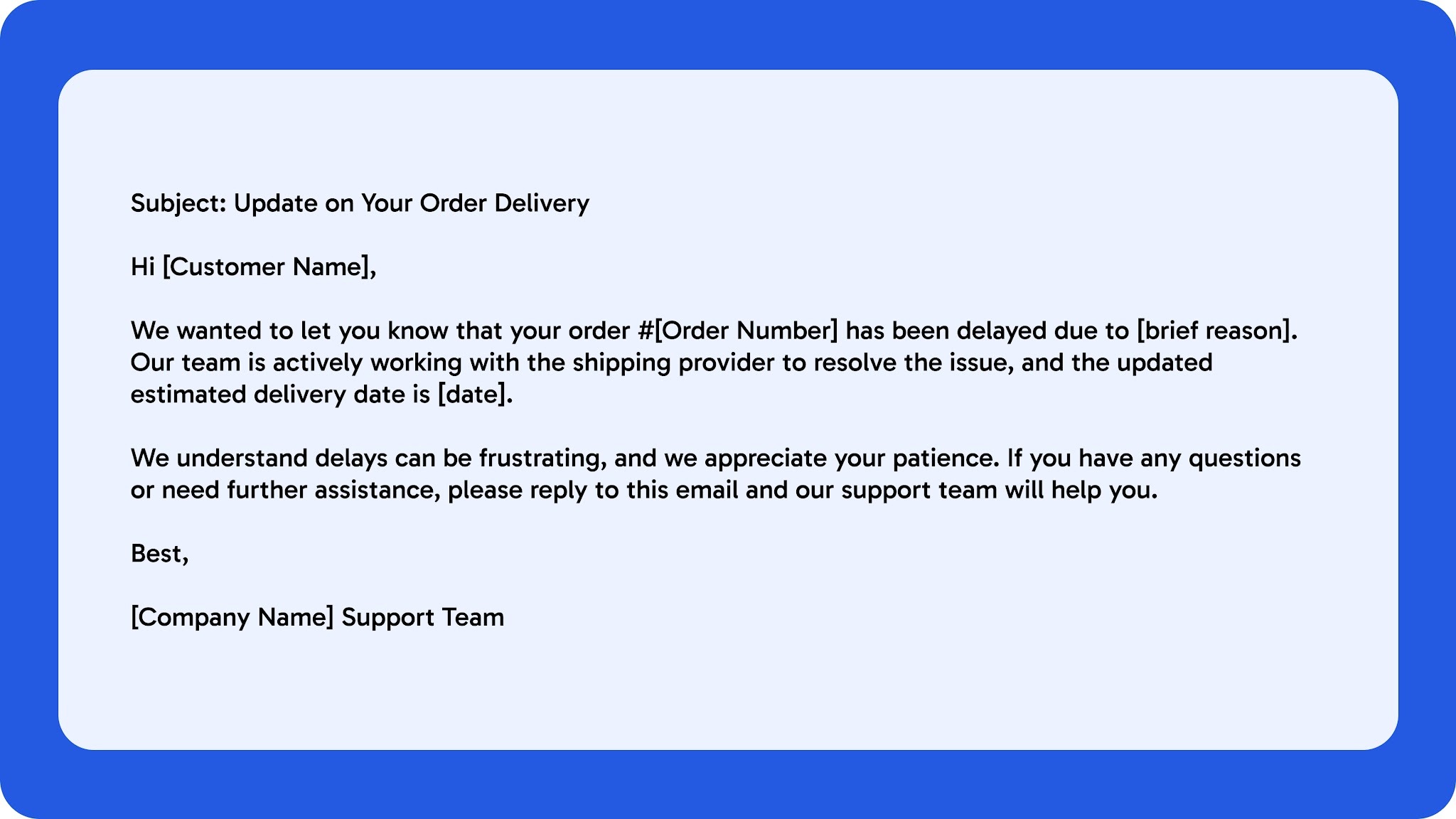
1. Order Delay Response Template
Order delay emails should acknowledge the issue quickly, explain the situation clearly, and provide a realistic timeline for resolution. Customers become more frustrated when responses feel vague or avoid accountability.
A strong response should confirm the delay, share the next steps, and reassure the customer that the issue is actively being tracked.
2. Refund Request Template
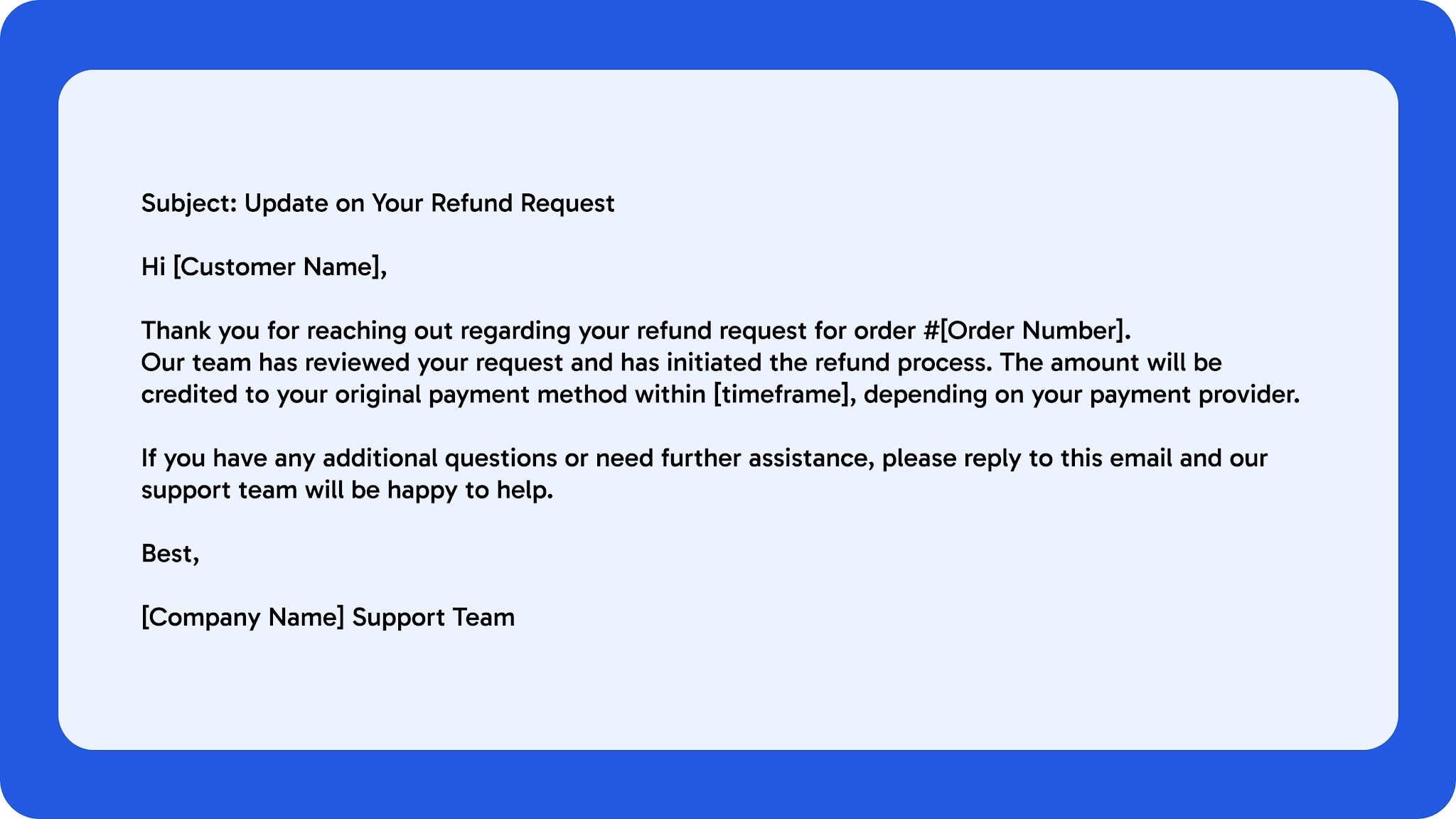
Refund request emails should be clear, empathetic, and transparent about the resolution process. Customers want confirmation that their request has been reviewed and understand what happens next.
A good refund response should explain the status of the request, expected timelines, and any additional steps required from the customer.
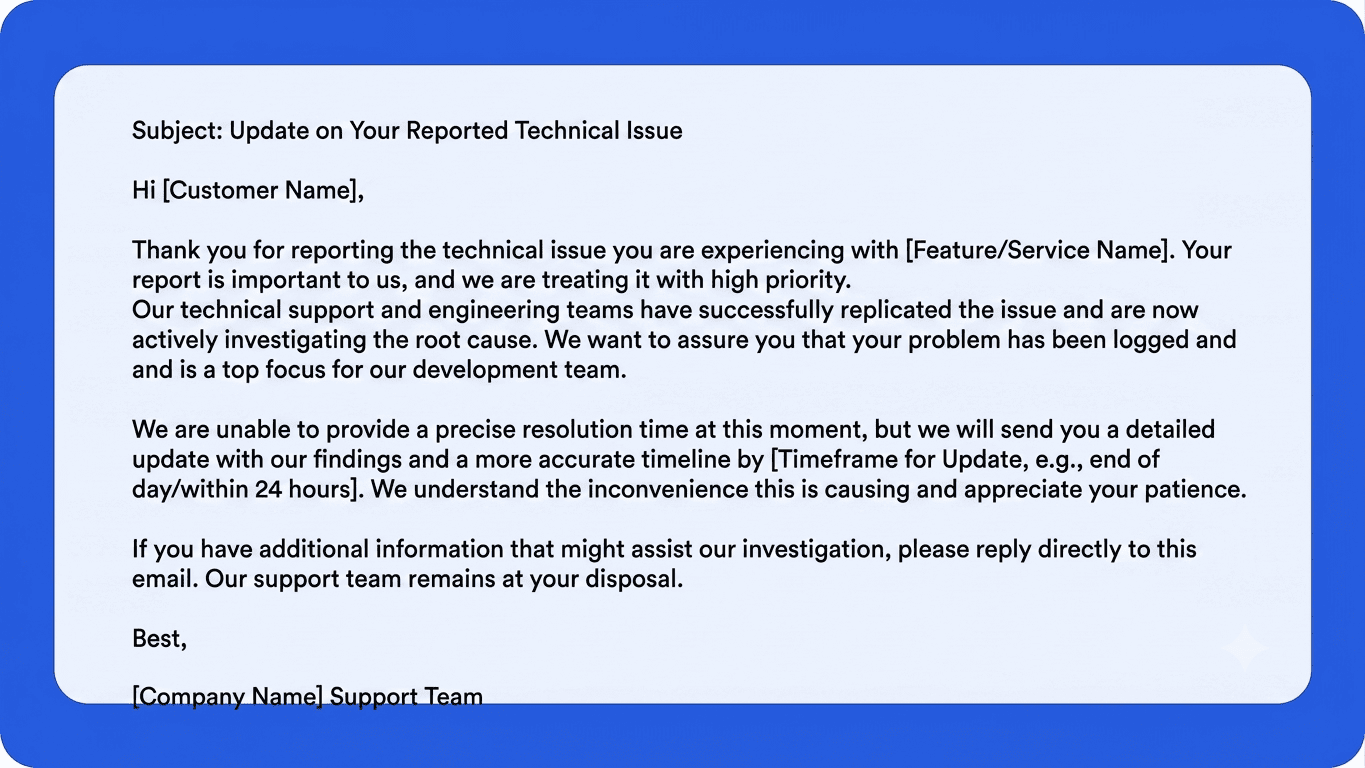
3. Technical Issue Acknowledgment Template
Technical issue acknowledgment emails should confirm that the problem has been identified and is actively being investigated. Customers mainly want reassurance that their issue has been logged and that they are not being ignored.
A strong response should explain the current status, provide a realistic update timeline, and avoid making promises before the issue is fully diagnosed.
4. Escalation Response Template
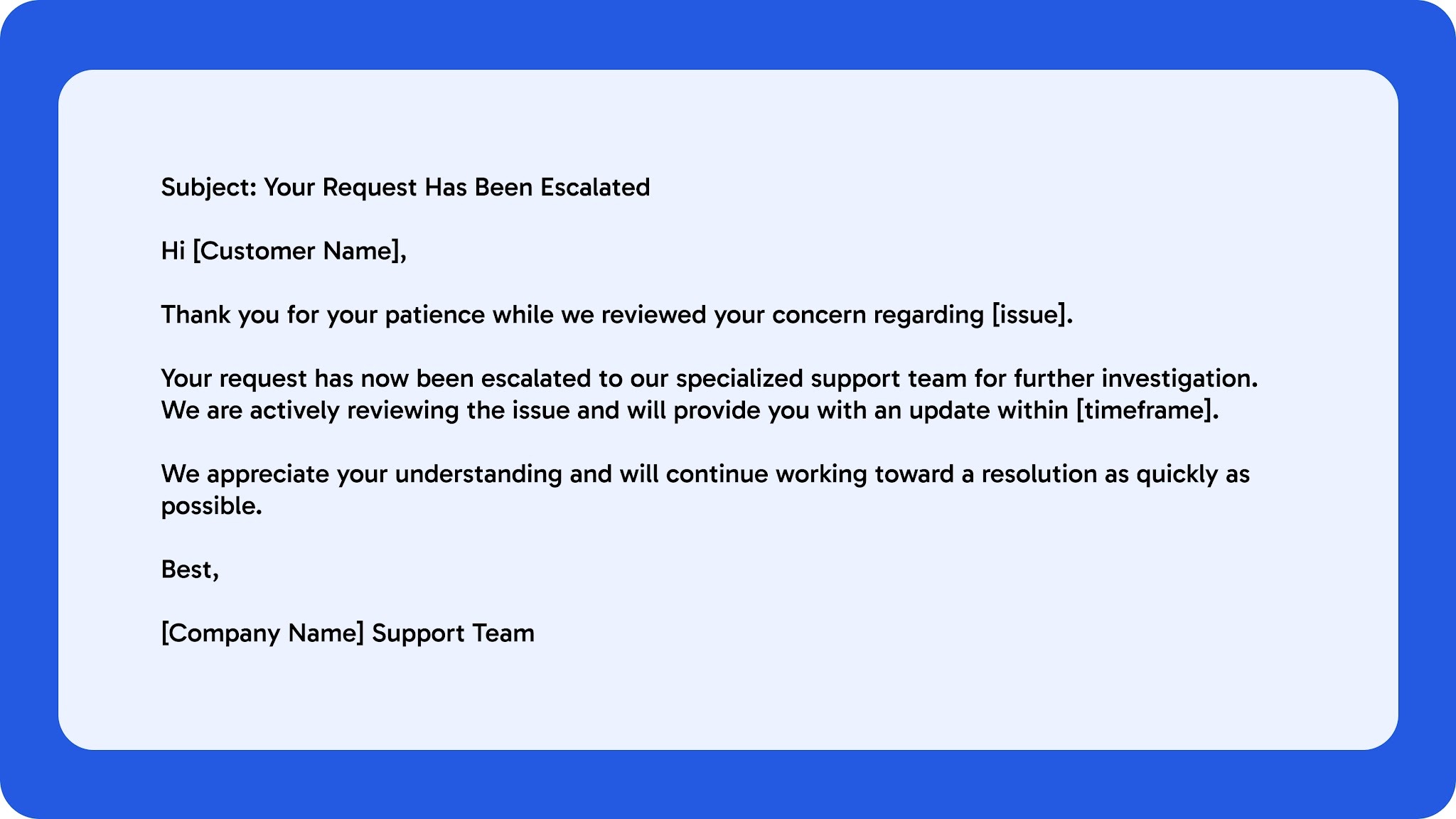
Escalation emails should reassure customers that the issue is receiving additional attention and has been routed to the appropriate team. Clear communication is important because customers are often already frustrated by the time a case is escalated.
A strong escalation response should acknowledge the issue, explain the next step, and provide expectations around follow-up timelines.
5. Follow-Up After Resolution Template
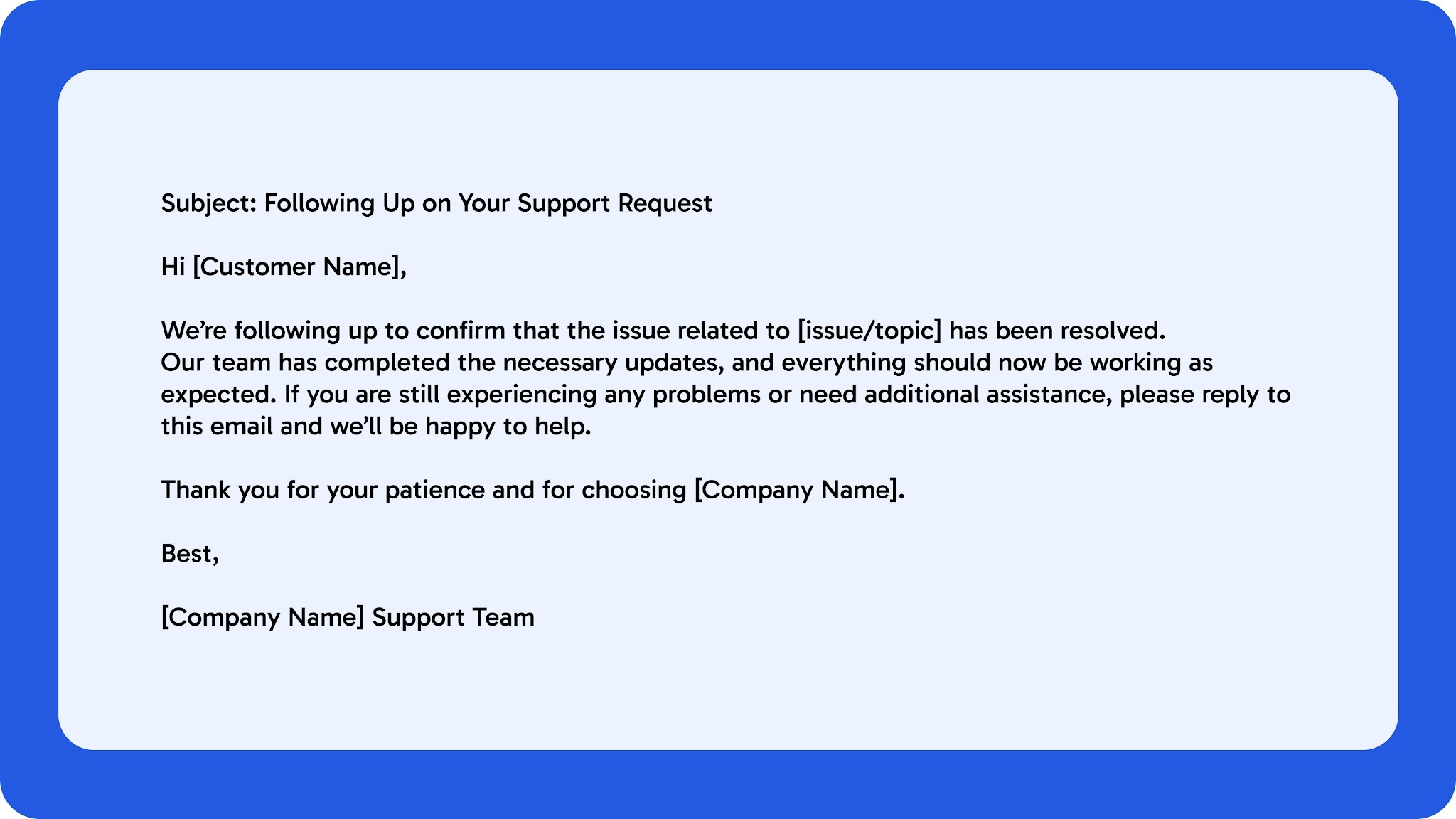
Follow-up emails help confirm that the issue has been resolved and show customers that support does not end once a ticket is closed. They also create an opportunity to rebuild trust after a difficult experience.
A good follow-up email should summarize the resolution, confirm closure, and invite the customer to reach out if further help is needed.
6. Subscription Cancellation Response Template
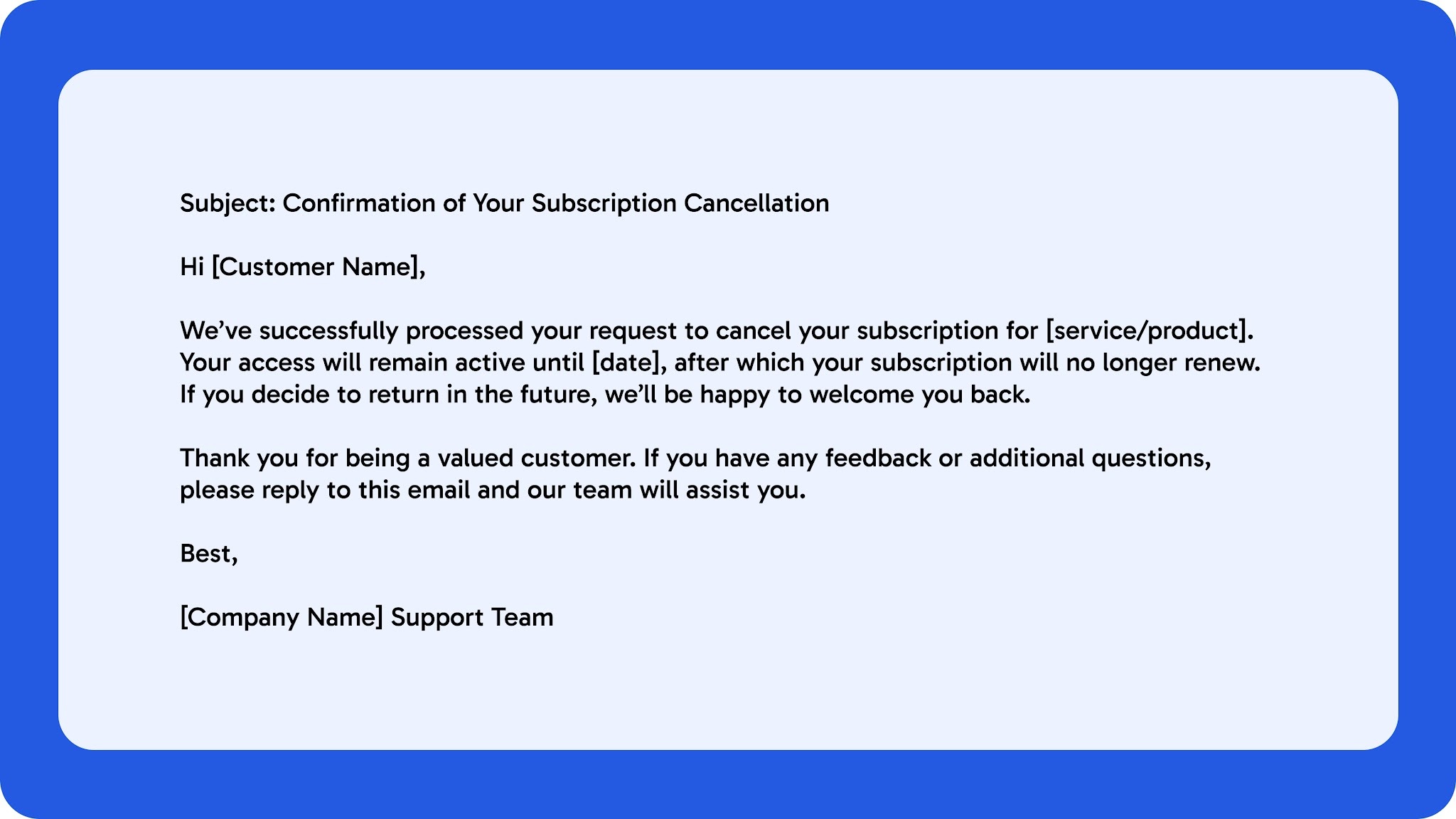
Subscription cancellation emails should remain professional, respectful, and easy to understand. Even when customers choose to leave, the response should maintain a positive experience and clearly explain what happens next.
A strong cancellation response should confirm the request, mention any remaining access period, and leave the door open for future engagement.
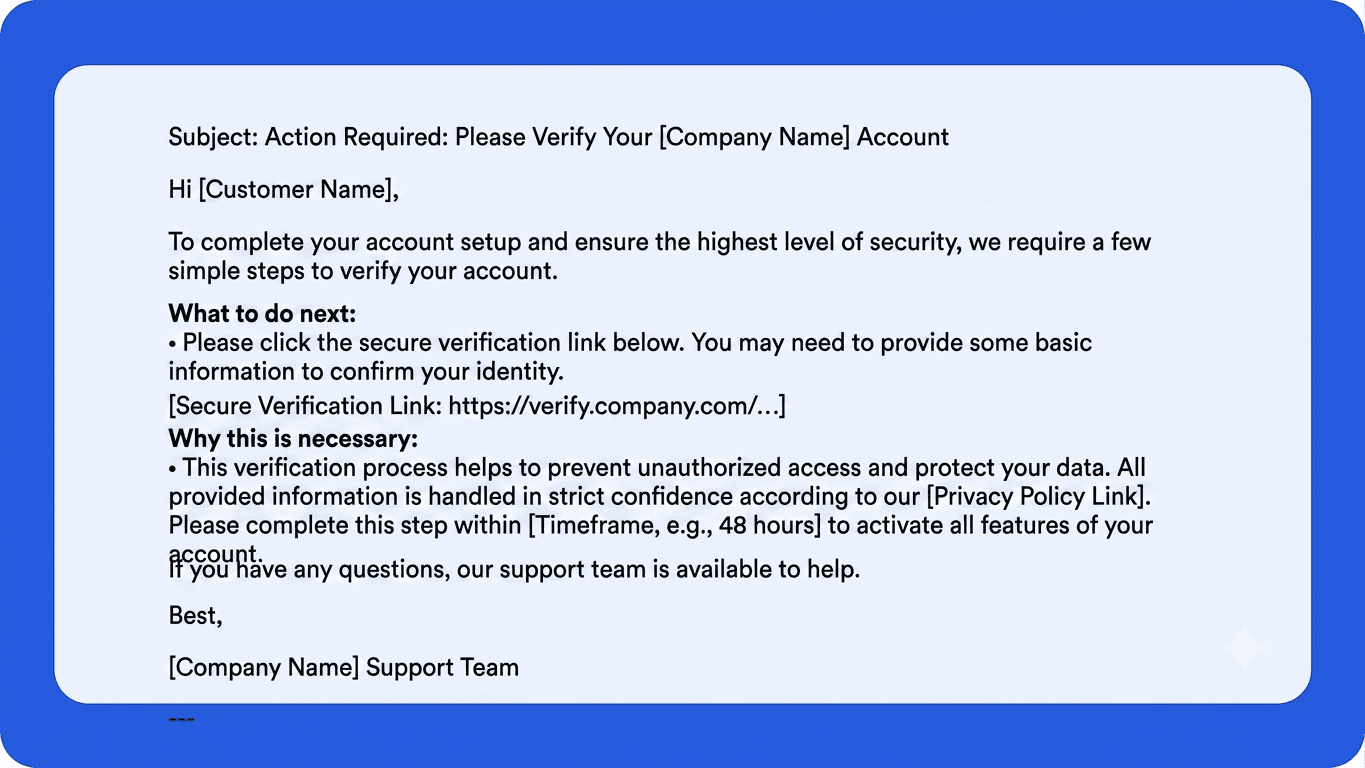
7. Account Verification Request Template
Account verification emails should be direct, secure, and easy to follow. Customers need clear instructions on what information is required and why the verification process is necessary.
A strong verification request should explain the purpose, outline the next steps, and reassure customers that their information will be handled securely.
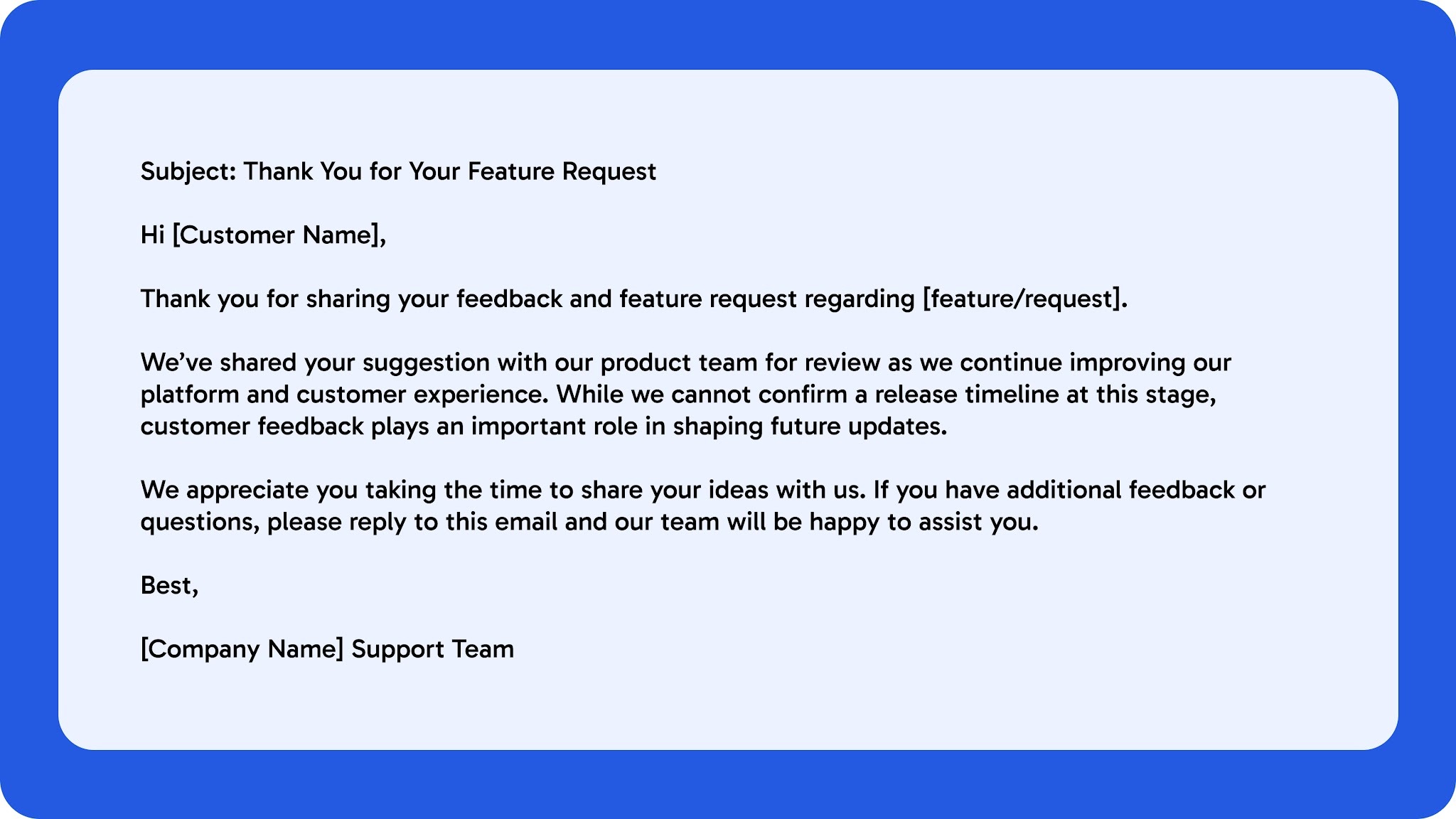
8. Feature Request Acknowledgment Template
Feature request emails should make customers feel heard while setting realistic expectations around product updates. Customers appreciate knowing their feedback has been documented and shared with the appropriate team.
A good acknowledgment email should thank the customer, summarize the request, and avoid promising release timelines unless they are confirmed.
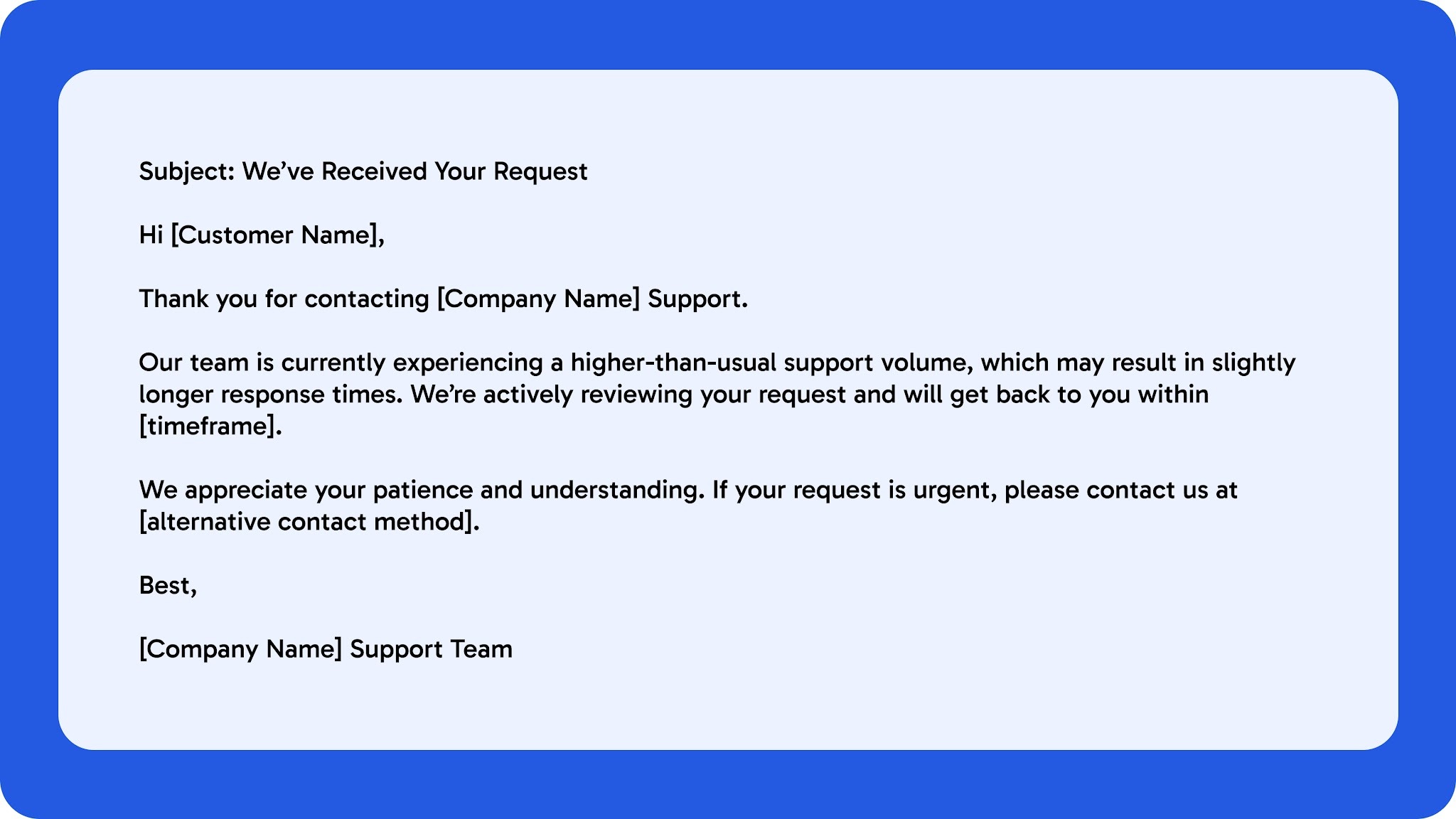
9. Out-of-Office or Delayed Response Template
Out-of-office or delayed response emails help set clear expectations when immediate support is unavailable. Customers are more understanding when they know why there is a delay and when they can expect a response.
A strong message should communicate availability timelines, provide alternative support options if necessary, and keep the tone professional and helpful.
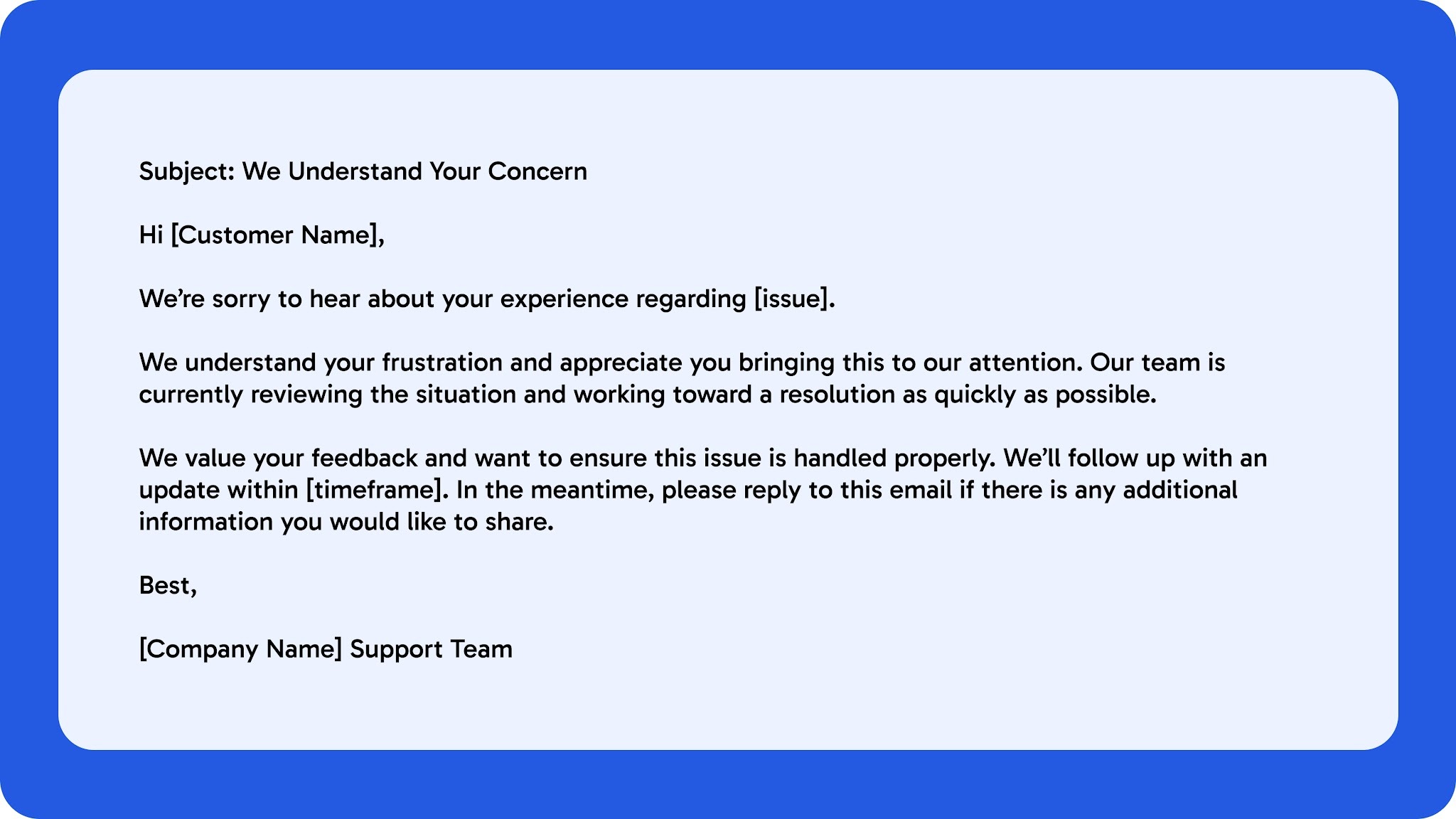
10. Angry Customer De-Escalation Template
De-escalation emails should acknowledge frustration without becoming defensive or overly scripted. Customers mainly want to feel heard, understood, and confident that their issue is being taken seriously.
A strong response should remain calm, take ownership where appropriate, and clearly explain the next steps toward resolution.
The right customer support email templates do more than improve response speed. They help teams maintain consistent communication, reduce confusion, and handle customer interactions more effectively across high-volume support environments.
As support operations scale, structured workflows become just as important as the templates themselves. Clear escalation handling, personalized communication, and AI-assisted support workflows can help enterprise teams improve customer satisfaction without increasing operational strain. See how NuPlay automates enterprise support workflows across email, voice, and customer service operations.
Also Read: Warm Transfer Explained
How Enterprise Teams Scale Email Support Without Losing Quality?
As ticket volumes increase, support quality often becomes harder to maintain. Enterprise teams rely on structured workflows to ensure requests are routed correctly, prioritized based on urgency, and handled consistently across departments.
Shared response governance also helps maintain consistent communication standards, especially across large or multilingual support teams.
Where AI-Assisted Support Workflows Improve Efficiency
AI-assisted support workflows help teams reduce repetitive manual work while improving response speed. Features such as response drafting, ticket categorization, intent detection, and prioritization allow agents to focus more on complex customer interactions.
These workflows also help support operations scale more efficiently without increasing response delays during high-volume periods.
Balancing Automation With Human Handoff
Automation works best when combined with clear escalation and human handoff processes. Sensitive customer issues, complex escalations, and compliance-heavy conversations often require human oversight and contextual decision-making.
Enterprise support teams should use automation to streamline repetitive tasks while ensuring customers can quickly reach a human agent when needed.
Also Read: How to Reduce Customer Support Costs with AI: A 2026 Guide
Why Enterprise Support Teams Need More Than Email Templates
Customer support email templates help standardize communication, but they do not solve the operational complexity that comes with enterprise-scale support. As ticket volumes grow, teams often struggle with disconnected workflows, delayed escalations, and limited visibility across support operations.
Common operational challenges include:
- Routing gaps between teams
- Frequent context switching across systems
- Fragmented customer data
- Limited escalation visibility
- Inconsistent follow-ups across channels
Even well-written templates become less effective when agents spend time manually tracking conversations, verifying account information, or coordinating with multiple departments. In many cases, the issue is not the response itself, but the workflow behind it.
How Orchestration Improves Support Operations
Enterprise support teams increasingly rely on workflow orchestration to improve how requests move across systems and teams. Instead of handling email support in isolation, orchestration connects support workflows into a more coordinated process.
This often includes:
- Automated workflow coordination
- CRM integration
- Ticket prioritization and routing
- Escalation tracking
- Analytics and observability
- Cross-system execution across support tools
Better orchestration also improves visibility into response times, unresolved tickets, and escalation patterns. This helps support leaders identify workflow bottlenecks earlier and improve customer support operations more consistently over time.
Also Read: Voice AI vs IVR: Which System Fits Your Enterprise in 2026?
How NuPlay Supports Enterprise Customer Service Workflows
NuPlay helps enterprise support teams manage email, voice, and chat workflows through automated ticket triage, escalation routing, and response assistance. Instead of relying on disconnected systems or manual sorting, teams can use AI to classify inquiries, prioritize urgent cases, and route them to the right support path faster. NuPulse gives operational visibility into response times, escalation patterns, and workflow bottlenecks, helping teams improve performance over time. NuRep keeps customer communication consistent and brand-aligned across teams, channels, and languages, improving support quality at scale.
These capabilities help support teams improve customer communication while reducing operational friction across high-volume support environments.
Final Thoughts
Strong email customer support depends on more than well-written templates. Teams also need structured workflows that can maintain response consistency, reduce escalation delays, and support growing ticket volumes without creating additional operational strain.
One practical way to evaluate your current support process is to identify where repetitive responses, manual routing, or disconnected systems slow down resolution times. These workflow gaps often have the biggest impact on customer satisfaction and agent efficiency.
Email customer support works best when communication quality is supported by scalable workflows, better visibility, and clear escalation management across every customer interaction.
If your team is looking to improve email customer support at scale, book a Custom Demo to see how NuPlay automates support workflows across email, voice, escalations, and customer service operations.