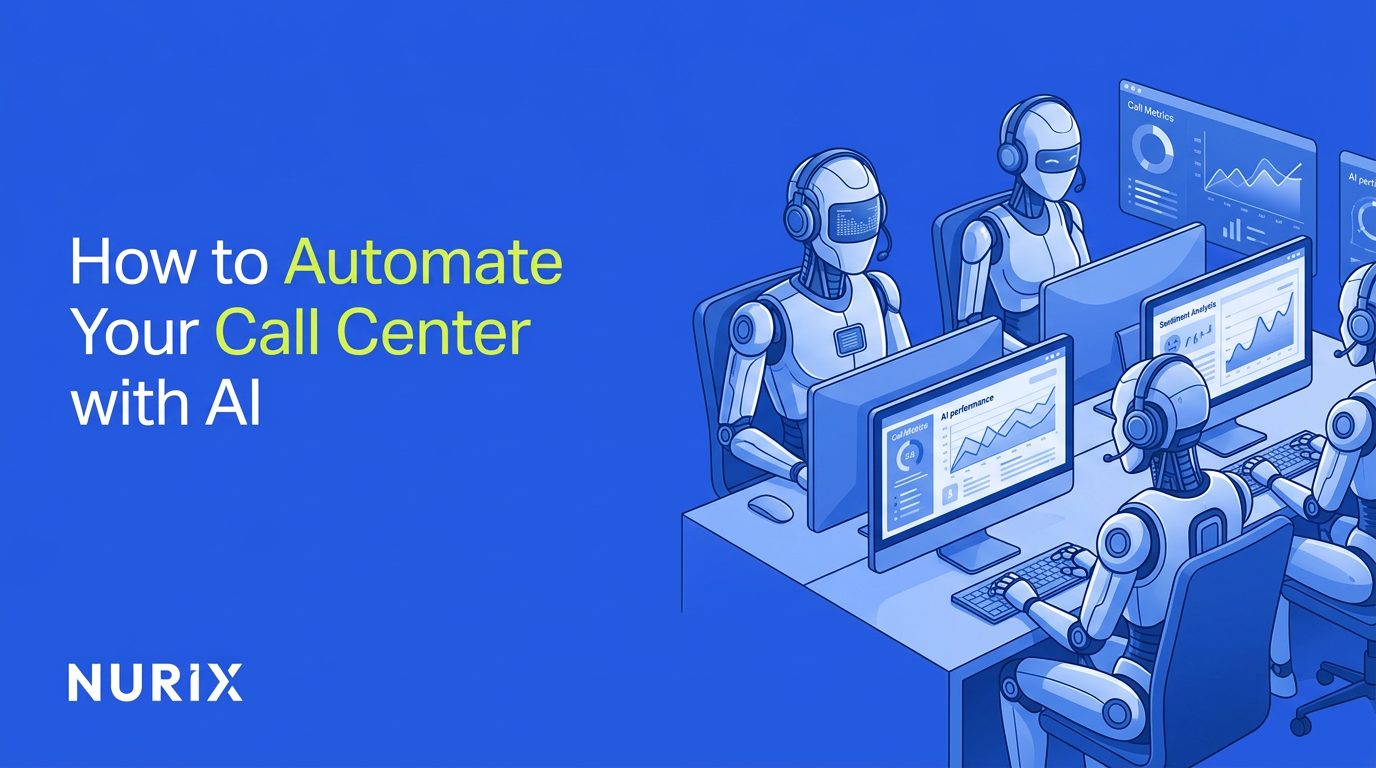

Call centers face a perfect storm in 2026: labor costs climbing 15-20% annually, turnover rates hitting 45%, and customer expectations for instant, 24/7 support. Traditional staffing models can't keep pace. AI automation handles routine inquiries, triages complex issues, and integrates with enterprise systems to deliver what manual operations never could—consistent service at any scale, any time.
What Is AI Call Center Automation?
AI call center automation uses conversational AI voice agents and chat agents powered by large language models (LLMs), natural language understanding (NLU), and enterprise system integrations to handle customer inquiries, complete transactions, and escalate complex cases without human intervention.
The market validates this shift. The evolution of voice AI from rigid IVR to intelligent agents has accelerated rapidly, and conversational AI deployments will reduce agent labor costs by $80 billion through 2026, while enterprises that fully integrate AI see 65% cost reductions and 80% automation rates. This guide provides a proven implementation path to automate your call center with AI, built for compliance-heavy industries and high-volume environments where reliability matters more than experimentation.
Prerequisites: What You Need to Get Started
Successful AI automation starts with the right foundation. You'll need comprehensive call logs and transcripts spanning at least six months—these reveal patterns AI can learn from and automate. Access to your CRM (Salesforce, HubSpot), ERP systems, and telephony infrastructure is non-negotiable; 74% of contact center leaders cite disconnected tools as the primary barrier to resolution speed.
Assemble a cross-functional team including operations directors, CX leaders, and IT stakeholders. Each brings essential perspective: ops knows which processes drain resources, CX understands customer pain points, and IT ensures security protocols align with enterprise standards. By 2028, 70% of customer journeys will begin with conversational AI, making early buy-in from these groups critical.
Budget for an enterprise-grade platform, not consumer chatbots. The difference shows in uptime guarantees, compliance certifications, and integration depth. Factor in implementation costs—typically 20-30% of platform fees—and allocate resources for ongoing optimization. Most enterprises see positive ROI within 90 days when they start with clear prerequisites rather than rushing deployment.
Step 1: Assess Current Call Center Operations
Start by analyzing your call data for the top 20% of queries that consume 80% of agent time. Common culprits include order tracking, account updates, password resets, and basic troubleshooting. These high-volume, low-complexity interactions are your first automation targets—they deliver immediate cost relief while building organizational confidence in AI. Understanding how voice AI helps high-volume call center teams handle these repetitive queries is essential before scoping your deployment.
Map complete customer journeys from initial contact through resolution. Where do callers get stuck? First call resolution rates average 70-79%, meaning roughly one in four customers must call back. Identify these friction points: unclear IVR menus, missing agent context, or handoff failures between departments. AI excels at eliminating these gaps through persistent memory and system integration.
Calculate your baseline metrics with precision. Average handle time, cost per call, abandonment rates, and customer satisfaction scores become your performance benchmarks. Set ambitious but achievable KPIs: 40% cost reduction, 70% faster resolutions, and 10% CSAT improvement are realistic for well-executed deployments. Prioritize use cases like after-hours coverage and peak-hour overflow—areas where the AI call center market's 22% annual growth concentrates.
Step 2: Choose an Enterprise AI Platform
Platform selection determines everything that follows. Prioritize solutions with human-like voice quality and sub-second latency—customers abandon interactions that feel robotic or slow. Verify the AI doesn't hallucinate; enterprise deployments require factual accuracy grounded in your actual systems and data, not generic responses pulled from training data.
Deep integrations separate enterprise platforms from consumer tools. You need real-time API connections to your CRM, helpdesk, and ERP systems, plus telephony bridges that route calls seamlessly. Only 25% of call centers achieve full AI integration despite widespread adoption, because most platforms lack the orchestration layer to coordinate across systems.
Confirm scalability for thousands of concurrent calls without degradation. Load testing should prove the platform handles your peak volumes plus 30% headroom for growth. Evaluate security certifications (SOC 2, HIPAA, PCI-DSS) and compliance features like call recording controls and data residency options. For a detailed comparison of leading platforms, see our breakdown of the 10 best AI call center solutions in 2026. Request demos focused on your specific outcomes—support automation or sales qualification—rather than generic feature tours. NuPlay (formerly Nurix AI)---an enterprise AI platform for deploying conversational voice and chat agents at scale—provides the full-stack reliability and call center automation capabilities that high-stakes operations demand.
Step 3: Design AI Agents for Call Handling
Define specific roles for each AI agent: inquiry resolution, lead qualification, appointment scheduling, or escalation triage. Generic "customer service bots" underperform because they lack clear decision boundaries. Role-specific agents know exactly when to act independently and when to route to humans.
AI chatbots reduce agent workload by 30% when they handle tasks that match their design. Configure brand voice and behavior to match your company's tone—formal for financial services, conversational for retail, technical for B2B. Customize flows for sentiment detection: if a caller expresses frustration, the AI should either adjust its approach or immediately offer human escalation.
Enable multi-modal support so agents handle voice calls, chat, and document processing through the same logic. This consistency improves customer experience and simplifies your operational model—retailers and DTC brands, for example, see measurable gains from this approach, as outlined in these 6 ways ecommerce call center automation improves support. Incorporate action logic that goes beyond conversation—updating CRM records, creating tickets, triggering workflows, and routing to the right department with full context. The goal isn't just to talk to customers; it's to complete their requests end-to-end.
Step 4: Integrate with Enterprise Systems
Map API connections for real-time synchronization between your AI platform and backend systems. Every customer interaction should pull current account data, update records instantly, and trigger downstream processes without manual intervention. Test these data flows rigorously—a five-second delay in CRM lookup destroys the conversational experience.
Set up telephony bridges that route calls based on AI decisions, not rigid IVR menus. Modern platforms use intent recognition to direct callers accurately on the first try, eliminating the "press 1 for sales, press 2 for support" maze. Configure workflow triggers for common actions: ticket creation in Zendesk, case updates in Salesforce, or appointment booking in your scheduling system.
Implement secure data flows with encryption at rest and in transit. Enterprise compliance demands audit trails showing exactly what data the AI accessed and how it was used. Validate integrations using the platform's orchestration layer—this middleware coordinates complex workflows across multiple systems, ensuring nothing falls through the cracks. Poor integration is why most AI deployments stall at pilot stage; robust architecture from day one prevents that failure.
Step 5: Train, Test, and Optimize Agents
Upload historical call transcripts, chat logs, and resolution data for model fine-tuning. The AI learns from your actual customer interactions, not generic training data. This grounding in real conversations improves accuracy and reduces the generic responses that frustrate callers.
Run simulations and A/B tests before full deployment. Route 10-20% of calls to AI while humans handle the rest, then compare resolution rates, handle times, and satisfaction scores. Contact center agents with AI assistance achieve 14% higher productivity, with the largest gains among less-experienced staff—AI effectively levels skill gaps faster than traditional training.
Analyze performance using conversation analytics that surface accuracy, latency, and sentiment metrics—our guide to measuring AI voice agent metrics for customer service covers the KPIs that matter most. Refine agent logic for edge cases: unusual requests, emotional callers, or multi-step problems that require human judgment. Iterate continuously—AI optimization never truly ends. Each refinement compounds, turning good automation into exceptional automation that customers prefer over human agents for routine tasks.
Step 6: Deploy, Monitor, and Scale
Start with a controlled pilot covering 20% of call volume. This validates your configuration under real conditions while limiting risk. Monitor closely for the first two weeks: Are customers completing their requests? Is the AI escalating appropriately? Are backend integrations performing as expected?
Ramp to full volume once pilot metrics meet your KPIs. Speech analytics improves CSAT by 10% or more while reducing costs up to 30% through insights that optimize both AI and human performance. Set up real-time dashboards tracking automation rate, average handle time, escalation volume, and customer satisfaction.
Scale to 24/7 coverage with automatic adjustments for call volume fluctuations. AI handles overnight and weekend shifts without premium pay, providing consistent service when staffing is most expensive or impossible. Use conversation intelligence to identify new automation opportunities—queries that currently escalate to humans but could be handled by AI with minor logic updates. This continuous improvement cycle drives long-term value far beyond initial deployment.
Common Mistakes to Avoid
Opting for consumer chatbots over enterprise platforms is the most expensive mistake. Consumer tools lack the security, integration depth, and reliability that call centers require. They seem cheaper initially but create technical debt that costs far more to unwind than investing in proper infrastructure from the start.
Skipping detailed human-AI handoff protocols leads to terrible customer experiences. Customers shouldn't have to repeat information when transferred to a human agent. Design seamless handoffs that pass full conversation context, customer data, and the AI's assessment of the situation. 70% of CX leaders plan generative AI integration but many face internal resistance because early implementations handled escalations poorly.
Underestimating integration complexity derails timelines and budgets. What looks like a simple API connection often requires custom middleware, data transformation, and extensive testing. Budget 40% more time than vendor estimates suggest. Ignoring ongoing training and analytics turns your AI into a static system that degrades over time as customer needs evolve. Neglecting compliance and brand voice controls creates legal and reputational risks that can shut down entire deployments.
Troubleshooting AI Call Center Issues
Low accuracy typically stems from insufficient or outdated training data. Retrain models with fresh transcripts every 30-60 days to capture evolving customer language and new product information. If accuracy remains poor, your use case may be too complex for current AI capabilities—consider narrowing scope or improving human handoff thresholds.
Integration errors usually trace to API credential mismatches, timeout settings, or data format incompatibilities. Check sync logs for specific error codes and verify that authentication tokens haven't expired. Latency spikes often indicate voice engine settings need optimization—adjust buffer sizes, reduce unnecessary processing, or upgrade network infrastructure between your telephony system and AI platform.
Poor CSAT despite high automation rates suggests your AI lacks emotional intelligence. Tune sentiment detection to recognize frustration earlier and offer human escalation proactively. Predictive analytics reduces wait times by 20% by routing calls more intelligently, but only if your platform actually uses these insights in real-time.
Escalation overload means your triage logic is too conservative or too aggressive. Too conservative and you waste AI capacity; too aggressive and you overwhelm human agents with cases they can't resolve. Refine thresholds based on actual resolution data, not assumptions about what AI should handle.
Conclusion
Automating your call center with AI transforms operations from a cost center into a competitive advantage. Following this roadmap—thorough assessment, enterprise platform selection, role-specific agent design, deep system integration, rigorous testing, and continuous optimization—delivers the 65% cost savings and 80% automation rates that leading enterprises achieve.
The difference between successful and failed deployments comes down to treating AI as enterprise infrastructure, not a consumer experiment. Platforms like NuPlay provide the full-stack reliability, security, and integration depth that high-volume, compliance-heavy operations require. Start with clear prerequisites, pilot methodically, and scale based on measured outcomes. The call centers winning in 2026 aren't just using AI—they're building intelligent operations that get better with every interaction.