4 Best Practices For Implementing Speech Analytics (2026 Guide)

Don’t miss what’s next in AI.
Subscribe for product updates, experiments, & success stories from the Nurix team.
When call reviews cover only a small slice of conversations, teams miss the patterns driving repeat contacts, compliance gaps, and stalled resolutions. That is one reason the category is expanding quickly. The global speech analytics market will grow from USD 3.3 billion in 2024 to USD 7.3 billion by 2029 (MarketsandMarkets). If you are evaluating best practices when implementing speech analytics, the real question is not whether the technology matters, but how to implement it without creating more dashboards and noise.
This blog breaks down the core rollout decisions, use cases, KPIs, software-selection factors, and mistakes that usually determine whether deployment actually improves call center performance.
Executive Summary 2026: Speech analytics works when teams can move from raw conversation data to clear operational decisions. In 2026, that means tighter implementation discipline, stronger system fit, cleaner measurement, and better control over how insights flow into coaching, compliance review, service recovery, and customer-facing execution.
Key Takeaways
- Begin with 2 to 3 high-volume call reasons, then validate transcripts on your own recordings before scaling speech analytics across more complex workflows.
- Strong speech analytics depends on Automatic Speech Recognition (ASR) accuracy, because weak transcripts distort intent detection, compliance review, and downstream reporting.
- Live use cases need low-latency orchestration between Speech-to-Text, decision logic, and response delivery, so agents can act before the call outcome is set.
- The best platforms fit into existing customer relationship management, telephony, and quality workflows, instead of creating isolated dashboards that teams rarely use.
- Track First Contact Resolution, Average Handle Time, compliance exceptions, and Word Error Rate to confirm the rollout is improving real call center performance.
What Is Speech Analytics in a Call Center?
Speech analytics in a call center uses Artificial Intelligence (AI), Automatic Speech Recognition (ASR), and Natural Language Processing (NLP) to convert agent-customer conversations into searchable data, detect intent, sentiment, compliance risk, and call drivers, and surface operational insights from live or recorded interactions at scale.
Adoption is rising because the technology closes specific monitoring, quality, and decision-making gaps that manual review and basic call recording cannot cover.
- Full Interaction Coverage: Instead of sampling a small call set, teams can analyze nearly every recorded interaction for patterns, exceptions, and repeat failure points.
- Faster Root-Cause Detection: It identifies recurring call drivers, such as billing confusion or failed authentication, without waiting for manual quality review cycles.
- Stronger Quality Control: Supervisors can measure script adherence, empathy markers, interruption patterns, and silence duration across the full agent population.
- Better Compliance Monitoring: Systems can flag missing disclosures and automatically redact Personally Identifiable Information (PII), such as card details, from transcripts and recordings.
- Sharper Efficiency Insights: Teams can connect conversation patterns to Average Handle Time (AHT) and First Contact Resolution (FCR) to improve call flow design.
Used correctly, speech analytics turns every conversation into structured operational evidence, helping call center leaders improve coaching, compliance, root-cause analysis, and customer outcomes faster and consistently.
To understand how speech analytics fits into a wider enterprise voice strategy, explore AI Voice Interaction for Business: What You Need to Know
Best Practices for Implementing Speech Analytics in Call Centers
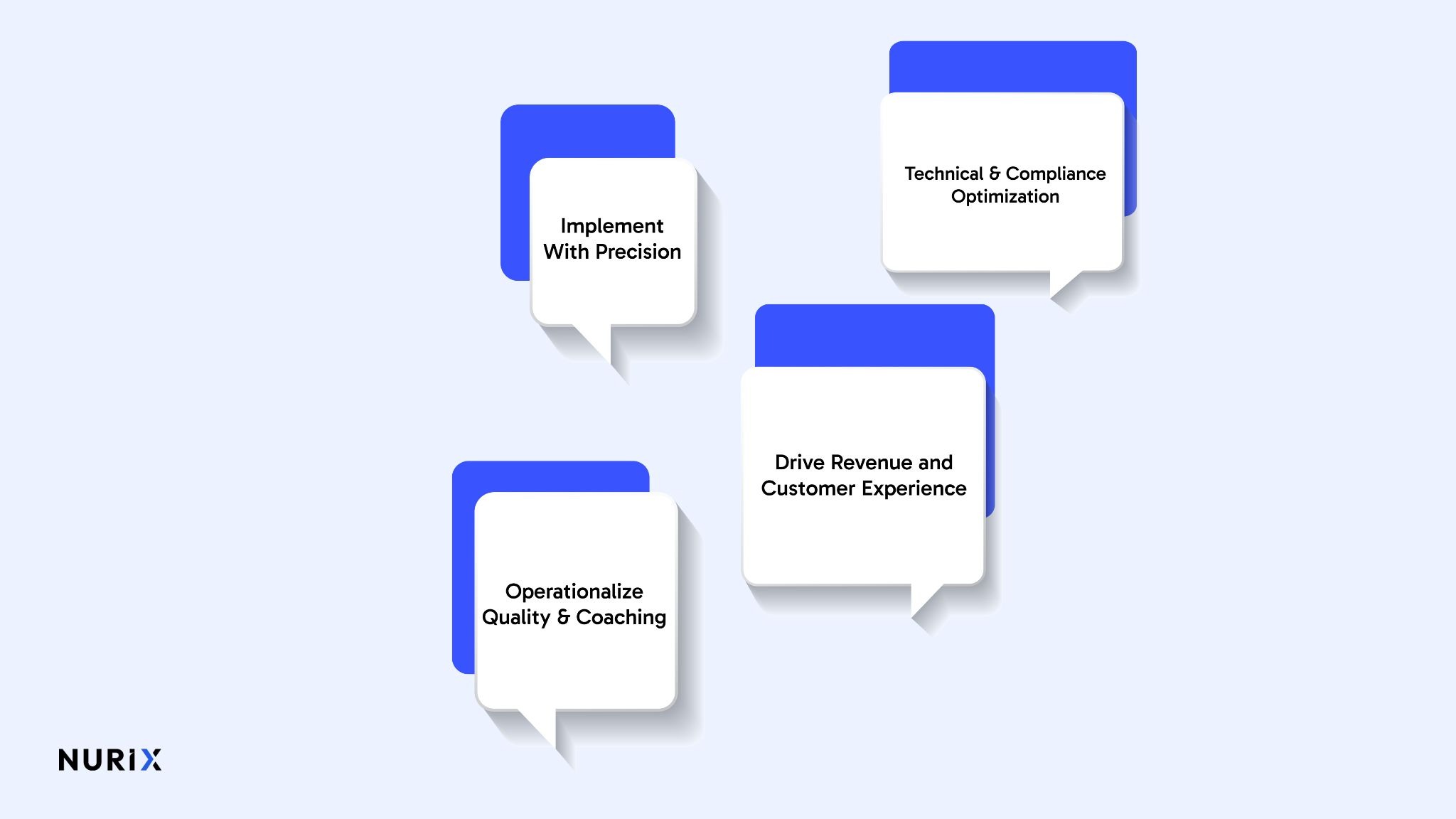
Speech analytics creates measurable value when rollout is anchored to a defined call center problem, tested on real recordings, embedded into supervisor workflows, and tuned for transcript accuracy, privacy protection, and live-call speed. Without that discipline, teams may collect more conversation data, but still struggle to improve coaching, reduce repeat contacts, or act on insights consistently.
1. Operationalize Quality and Coaching
Quality programs improve faster when speech analytics feeds directly into review, coaching, and in-call intervention.
- Score Every Eligible Call: Analyze full call volumes, not limited audit samples, so repeated script failures, weak openings, or missed disclosures appear by queue and team.
- Pull Proven Coaching Examples: Surface high-quality calls, such as calm refund handling or accurate policy explanation, so supervisors can coach with internal examples that match real situations.
- Trigger Live Guidance: Configure prompts during active calls when risk language appears, such as cancellation intent or missing disclosures, so agents can recover before escalation.
2. Drive Revenue and Customer Experience
Speech analytics becomes commercially useful when it exposes customer friction, missed demand, and unresolved service issues that teams can fix.
- Track Repeat-Contact Language: Monitor phrases like “I called yesterday” or “this still is not fixed” to uncover failed handoffs, unresolved cases, or broken service steps.
- Flag Active Buying Intent: Detect upgrade questions, pricing comparisons, or competitor mentions while the call is still live, so agents can respond in the same interaction.
- Map Survey Scores to Call Moments: Link low Net Promoter Score, a customer loyalty measure, or Customer Satisfaction Score, a service-rating measure, to the exact call segments that caused dissatisfaction.
3. Implement With Precision
Early rollout success depends on validating performance in your own environment, narrowing the first use cases, and giving operations teams room to adjust quickly.
- Run a Vendor Bake-Off: Conduct a side-by-side trial on your own call recordings to compare transcript reliability, category accuracy, and the manual effort required to reach usable outputs.
- Start with Stable High-Volume Intents: Launch with frequent call reasons, such as order status or refund requests, before expanding into harder interactions like retention risk or complaint escalation.
- Give Operations Direct Control: Use no-code builders, meaning visual tools that teams can edit without engineering help, to update categories, rules, and call flows quickly.
4. Technical and Compliance Optimization
Production readiness depends on clean audio inputs, protected data handling, and low delay during live-call use cases.
- Redact Sensitive Data Automatically: Mask Personally Identifiable Information, meaning data such as card numbers or account details, before transcripts are stored, searched, or reviewed.
- Improve Audio Before Processing: Normalize volume, trim silence, and reduce background noise to lower Word Error Rate, the share of words transcribed incorrectly.
- Set a Sub-Second Latency Target: Keep latency, the delay between speech input and system response, below one second so live interactions still feel natural.
Strong implementation turns speech analytics into a working layer for coaching, compliance, service recovery, and revenue protection, rather than another dashboard teams rarely use.
If you are evaluating speech analytics for compliance monitoring, call deflection, or real-time intervention, see how NuPlay supports production-ready rollout, schedule a demo
Top Use Cases for Speech Analytics in Call Centers
Speech analytics in call centers is used to identify customer friction, evaluate agent performance, monitor compliance risk, explain survey outcomes, and detect revenue signals across live or recorded conversations. For teams exploring call center speech analytics or speech analytics call center use cases, it turns large call volumes into patterns that are easier to review and act on.
The most common use cases show where conversation data adds visibility beyond manual call listening.
- Customer Journey Friction: Identifies repeated issues, such as failed logins, billing confusion, or broken order updates, that drive avoidable call volume.
- Agent Performance Analysis: Measures silence time, interruptions, script adherence, and escalation handling across more calls than manual review can cover.
- Compliance And Risk Monitoring: Flags missed disclosures, suspicious language, and Personally Identifiable Information, meaning sensitive customer data, that needs review or protection.
- Survey Score Validation: Links Customer Satisfaction Score and Net Promoter Score results to the call moments that shaped the customer’s final rating.
- Revenue Signal Detection: Surfaces upsell interest, cancellation language, competitor mentions, and renewal intent hidden inside routine conversations.
Used well, speech analytics helps teams spot where service, quality, compliance, and revenue issues are emerging across conversations at scale.
Speech Analytics vs Voice Analytics For Call Centers [2026]
Speech analytics and voice analytics work on the same calls but focus on different signal layers. Speech analytics analyzes what was said by converting audio into text. Voice analytics analyzes how it was said through pitch, pace, stress, pauses, and overlap.
The difference matters because each one answers a different operational question.
Speech analytics explains conversation content, while voice analytics explains delivery, giving call center teams a fuller view of performance, risk, and customer intent.
If you want a closer look at how voice quality shapes user trust and response quality, read How Companies Turn Text-to-Speech into Customer Connections
How to Choose Speech Analytics Software for Call Centers
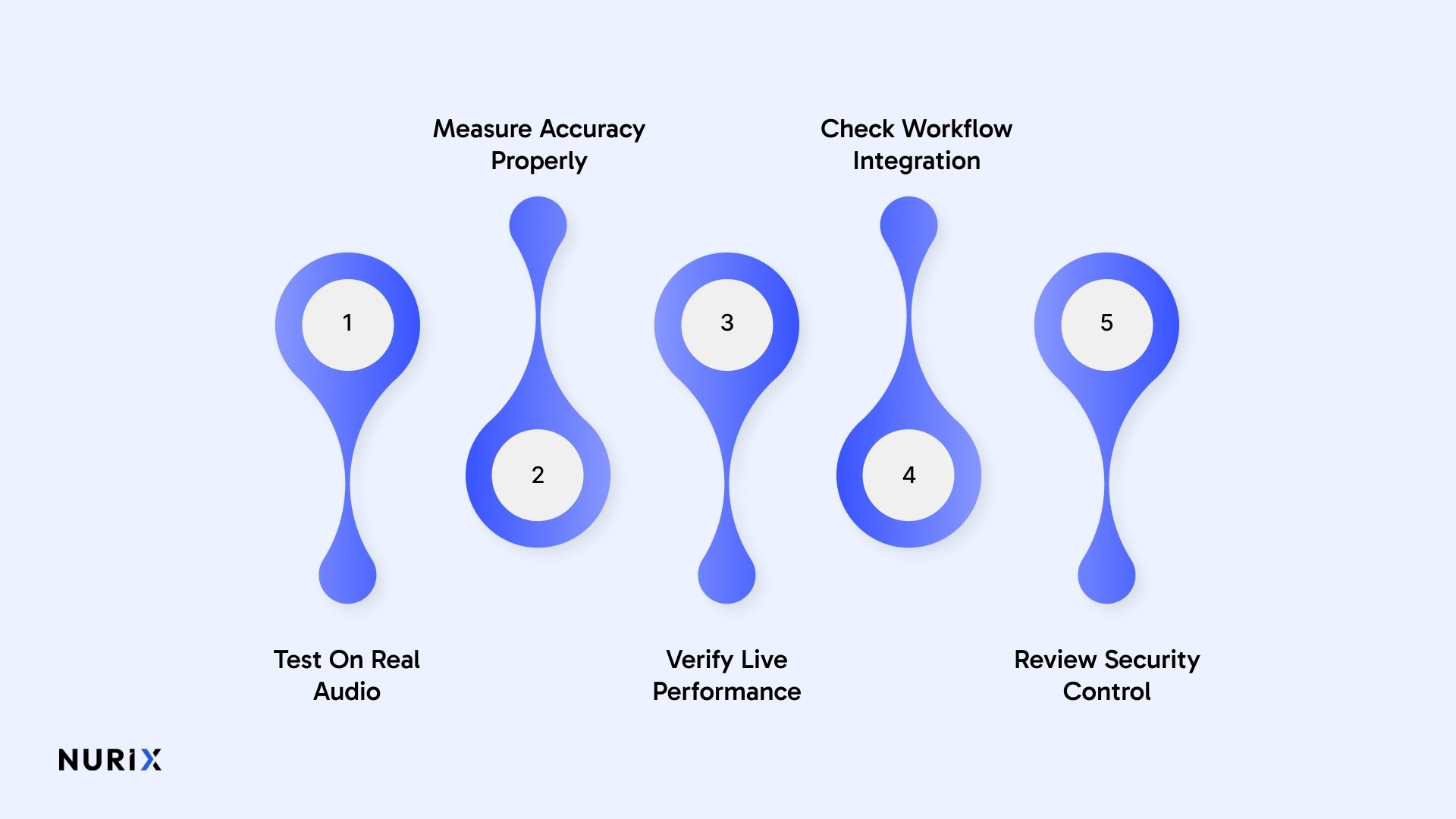
Choosing speech analytics software for a call center means checking whether the platform can handle your audio conditions, fit your systems, support live and post-call workflows, protect sensitive data, and deliver outputs teams can trust. The right choice should support both call center speech analytics and voice analytics for call centers without adding operational complexity.
The strongest evaluation points show whether the platform will work in production, not just in a demo.
- Test On Real Audio: Use your own calls, including noisy mobile audio and overlapping speech, to verify transcript quality.
- Measure Accuracy Properly: Check Word Error Rate and Keyword Recall Rate to confirm the system can support real use cases.
- Verify Live Performance: For real-time workflows, keep Speech-to-Text, artificial intelligence processing, and Text-to-Speech response time below one second.
- Check Workflow Integration: Confirm the platform connects with customer relationship management systems, help desks, telephony platforms, and application programming interfaces.
- Review Security Controls: Look for automatic redaction, Single Sign-On, Role-Based Access Control, and audit trails.
The right platform should fit your call environment and give teams dependable outputs for quality, compliance, and customer decisions.
If you are comparing platforms, this breakdown can help you evaluate whether your setup is truly ready for live deployment in How to Tell If Your Voice AI Is Production-Ready
Real Time Speech Analytics vs Post-Call Analytics
Real-time speech analytics processes conversations as they happen, so teams can influence live outcomes before the call ends. Post-call analytics processes completed interactions afterward, making it better for quality review, trend detection, and root-cause analysis across larger call volumes.
The main difference is when the insight becomes useful to agents, supervisors, and operations teams.
Real-time analytics supports immediate intervention, while post-call analytics supports deeper review, making both useful at different stages of call center decision-making.
For a broader view of where live support, automation, and call intelligence are heading, continue with Future of Call Center Automation: What is It and How Does It Work in 2024
KPIs to Track After Implementing Speech Analytics
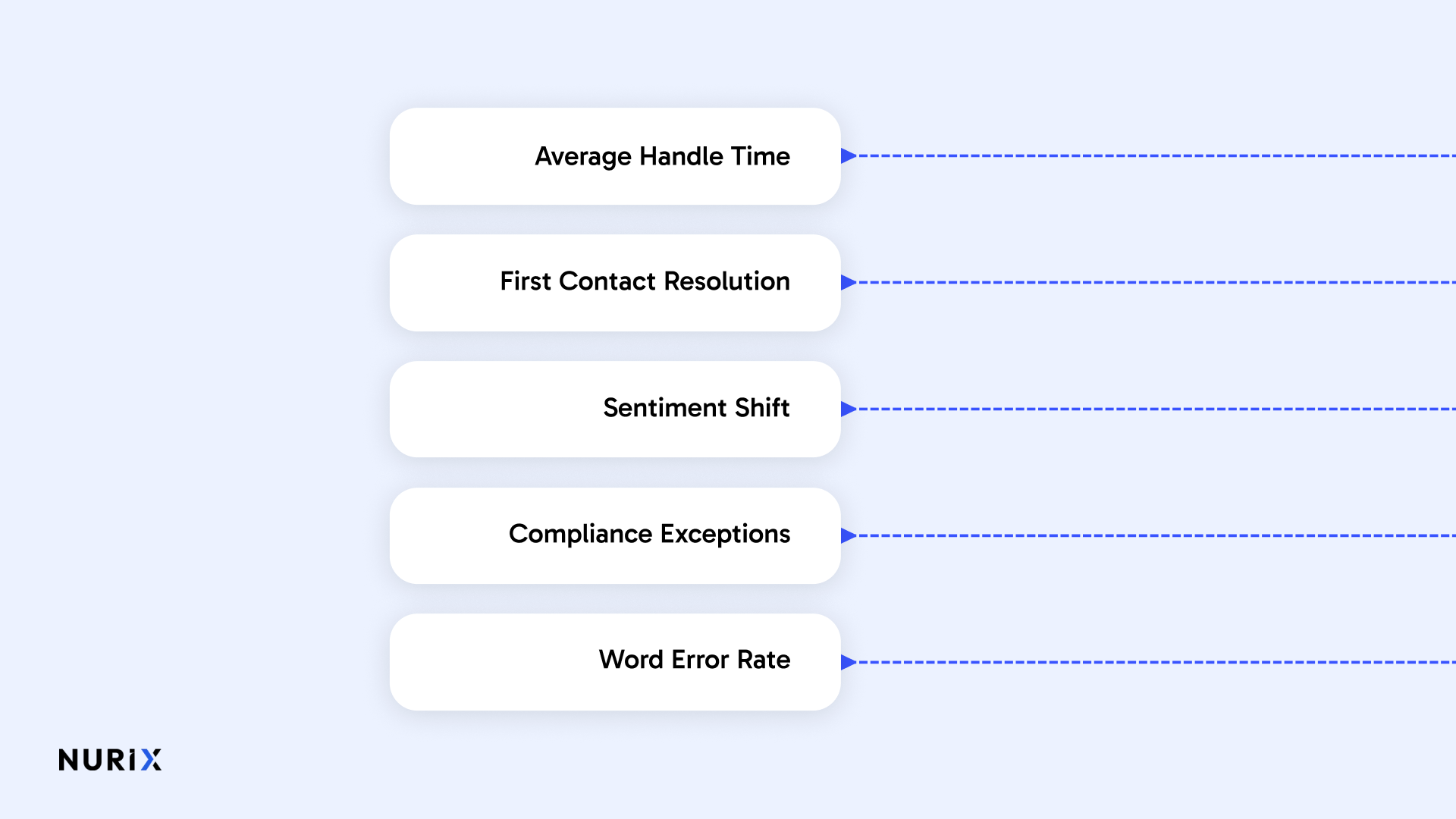
After implementing speech analytics, call centers should track a focused KPI set that shows whether the system is improving call outcomes, reducing avoidable effort, strengthening compliance, and producing transcript data reliable enough for operational use.
The strongest KPIs connect analytics output to real movement in service quality, risk control, and workflow efficiency.
- Average Handle Time: Track whether identified friction points are reducing the total time spent per call. Formula: total talk time + hold time + after-call work ÷ total calls.
- First Contact Resolution: Measure whether more issues are being resolved without repeat calls or transfers. Formula: cases resolved on first contact ÷ total cases × 100.
- Sentiment Shift: Monitor whether calls end in a better emotional state than they started. Formula: end-of-call sentiment score minus opening sentiment score.
- Compliance Exceptions: Check whether missed disclosures or policy breaches decline after alerts and rules are applied. Formula: non-compliant calls ÷ total reviewed calls × 100.
- Word Error Rate: Validate whether transcript accuracy is strong enough for search, scoring, and trend analysis. Formula: substitutions + deletions + insertions ÷ total spoken words.
The right KPI mix shows whether speech analytics is improving performance, reducing risk, and producing dependable insight that teams can actually use.
See how NuPlay helps teams connect speech analytics to live agent guidance, workflow execution, and measurable quality outcomes across real call center operations. Get in touch with us!
Common Mistakes to Avoid When Implementing Speech Analytics
Speech analytics rollouts usually fail when teams treat the platform like a simple reporting tool instead of an operational system that needs testing, ownership, and calibration. The most common mistakes appear in planning, vendor evaluation, rollout scope, workflow adoption, and measurement, especially when production audio and human review are not handled carefully.
The highest-risk mistakes are usually the ones that weaken trust in the data, slow adoption, or make results hard to prove.
Strong deployments stay narrow early, test against real call conditions, and build trust through review, ownership, and measurable performance tracking.
See how stronger orchestration, observability, and live workflow control come together in Building a Voice AI That Feels Human in Every Conversation
How NuPlay by Nurix AI Helps Teams Turn Speech Analytics into Action
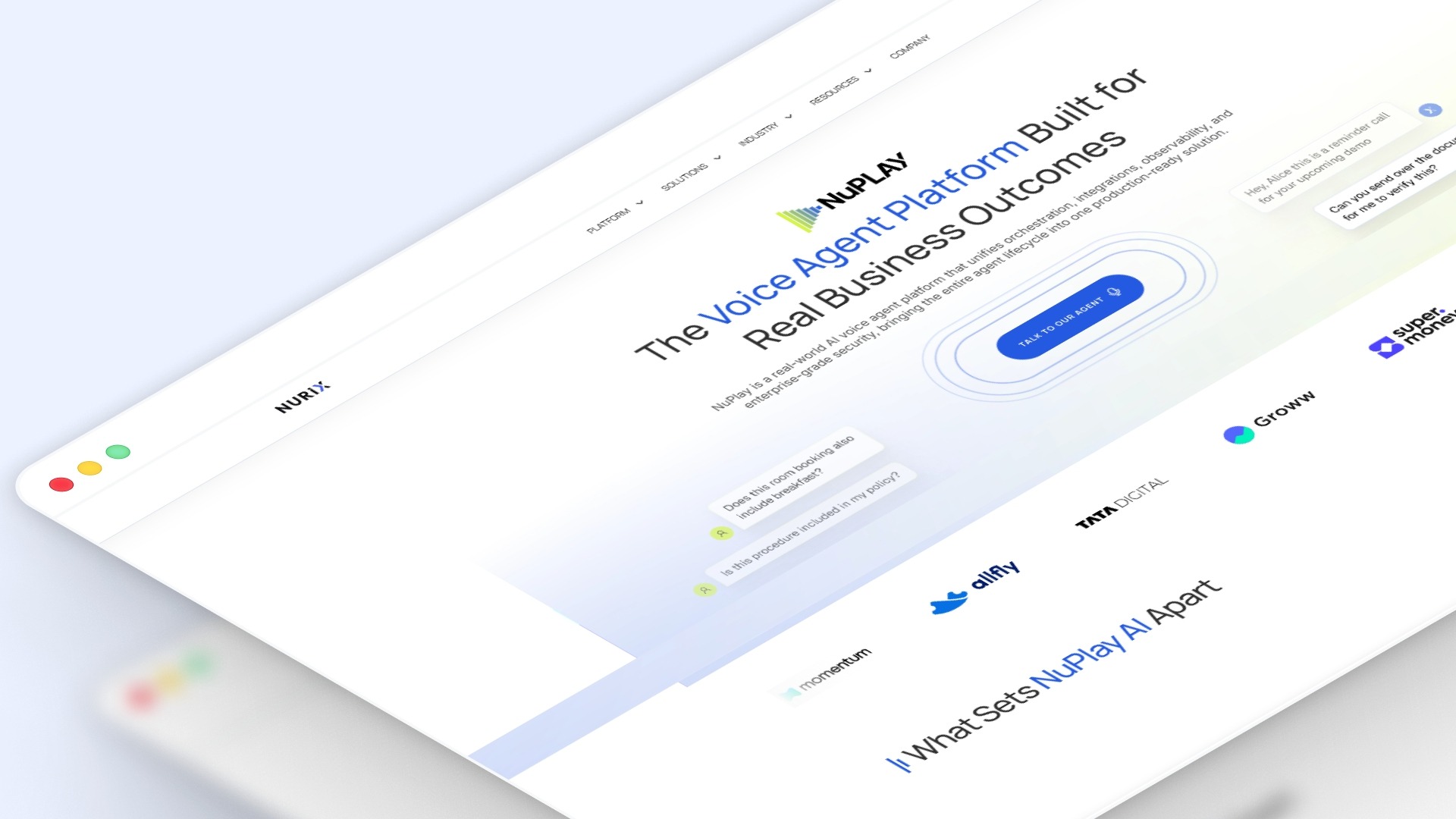
NuPlay by Nurix AI, an enterprise-grade voice and chat AI platform built to automate customer-facing and workflow-heavy tasks with control, integrations, and observability, helps teams operationalize speech analytics across live workflows.
Its value comes from connecting insight, action, and control inside the same production environment.
- Orchestrated Agent Actions: NuPlay maps multi-turn flows, branching logic, and agent-to-agent handoffs so conversation insights can trigger the next operational step.
- Real-Time System Access: The platform connects with customer relationship management systems, enterprise resource planning systems, schedulers, and internal application programming interfaces for live task completion.
- Traceable Performance Monitoring: NuPulse tracks deflection, drop-off, Customer Satisfaction Score signals, and conversion movement against agent decisions and flow paths.
- Brand-Controlled Responses: NuRep uses brand content, rules, and tone controls so automated conversations stay aligned with approved language.
- Built-In Enterprise Controls: NuPlay includes Role-Based Access Control, audit logs, version control, and sensitive-data redaction.
Performance Gains Across Booking, Revenue, and CSR Load
In one HVAC deployment, NuPlay helped improve inbound conversion with a 93% average booking rate, 2.5× higher customer satisfaction, and an average of $500K in additional annual revenue. It also reduced CSR workload by 40%, freeing teams to focus on complex requests and higher-value upsell conversations.
NuPlay is most useful when teams need speech analytics to shape live operations, system actions, brand consistency, and measurable optimization rather than isolated reporting.
Final Thoughts!
What matters most is not access to call data, but whether teams can turn it into repeatable operational action. Best practices for implementing speech analytics come down to narrowing the scope early, validating accuracy on real conversations, and embedding outputs into the workflows where decisions happen. When that structure is in place, teams move from reactive reviews to stronger control, clearer accountability, and faster issue resolution.
Platforms like NuPlay by Nurix AI support that shift by combining orchestration, real-time integrations, and observability in one layer, so insights can drive action, not just reporting.
Schedule a demo to see how your call data can translate into real, measurable operational outcomes.
Author: Sakshi Batavia, Marketing Manager
Sakshi Batavia is a marketing manager focused on AI and automation. She writes about conversational AI, voice agents, and enterprise technologies that help businesses improve customer engagement and operational efficiency.
Speech analytics can reveal the phrases and intent patterns that are most often misrouted, such as product issues being tagged as billing calls. Teams can use that data to refine Interactive Voice Response, meaning automated phone menus and routing logic, so callers reach the right queue faster.
Yes, especially when teams use speech analytics to identify unresolved intent patterns, incomplete explanations, or weak handoff language. That makes it easier to fix the part of the interaction that is causing customers to call back.
They show which questions still reach live agents even after customers use self-service tools. That helps teams identify where chatbot flows, help-center content, or Interactive Voice Response options are not answering the issue clearly enough.
Call reporting can show handle time and transfer volume, but call center voice analytics can expose hesitation, talk-over patterns, and rising stress during specific parts of the conversation. That adds behavioral context that standard operational dashboards usually miss.
Start with call types where live intervention changes the outcome, such as identity verification, cancellation requests, or high-value sales inquiries. That gives teams a clearer way to test whether real-time guidance is improving decisions during the conversation itself.
Don’t miss what’s next in AI.
Subscribe for product updates, experiments, & success stories from the Nurix team.